← All flows
Fitness

Fitbod onboarding flow

29 screens · Screen Recording · recorded Jul 2024
FitnessReverse trialpaywall: none during onboardingquiz drivengoal settingvalue prop carousel

Fitbod pricing and paywall terms

No pricing screen in onboarding: a 7-day free trial starts automatically with full access and no payment info. Upgrade lives in the profile

Fitbod onboarding screen 1: 'Built for better.' Short splash, straight into the carousel1
'Built for better.' Short splash, straight into the carousel.
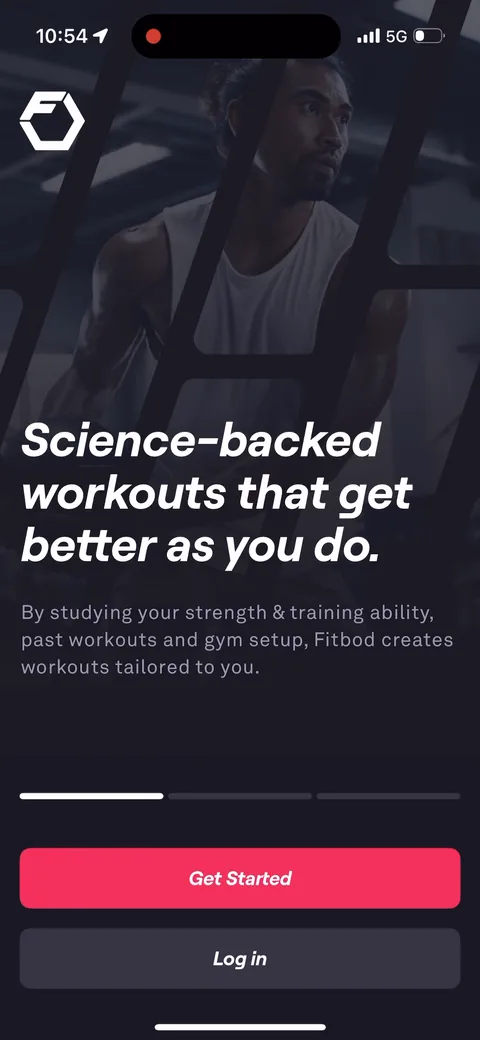
Fitbod onboarding screen 2: 'Science-backed workouts that get better as you do.' A 3-slide value prop carousel with Get Started and Log…2
'Science-backed workouts that get better as you do.' A 3-slide value prop carousel with Get Started and Log in on every slide. The copy is about the outcome (adaptive workouts), not a feature list.
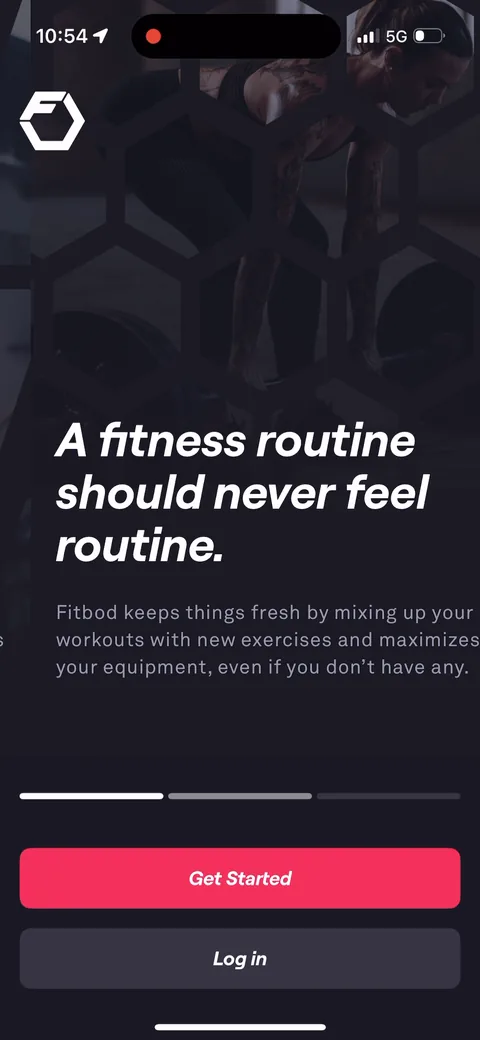
Fitbod onboarding screen 3: 'A fitness routine should never feel routine.' Nice line3
'A fitness routine should never feel routine.' Nice line. It names the boredom problem that makes people quit the gym, and 'even if you don't have any' equipment widens who this is for.
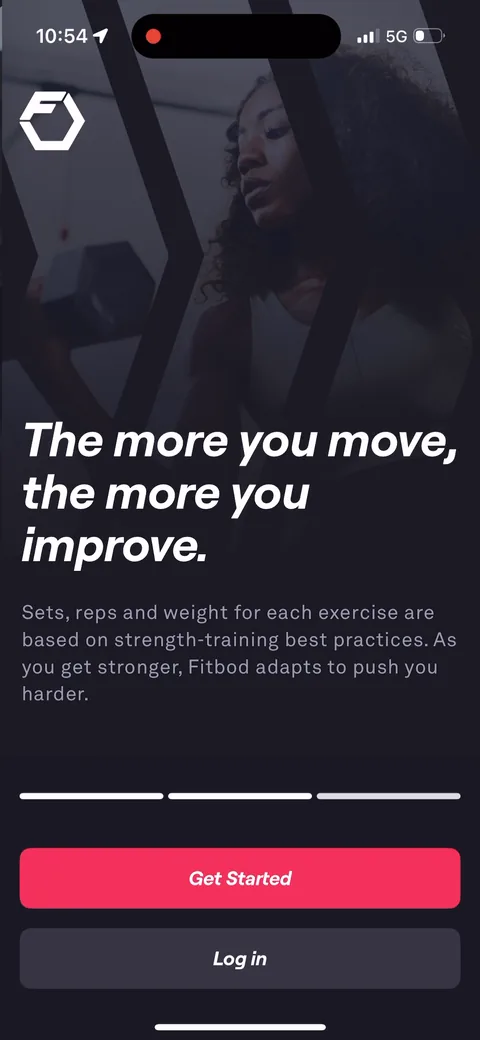
Fitbod onboarding screen 5: 'The more you move, the more you improve.' The third slide explains the adaptive part: sets, reps and weight…5
'The more you move, the more you improve.' The third slide explains the adaptive part: sets, reps and weight adjust as you get stronger. That's the reason to pay for this over a free workout list.
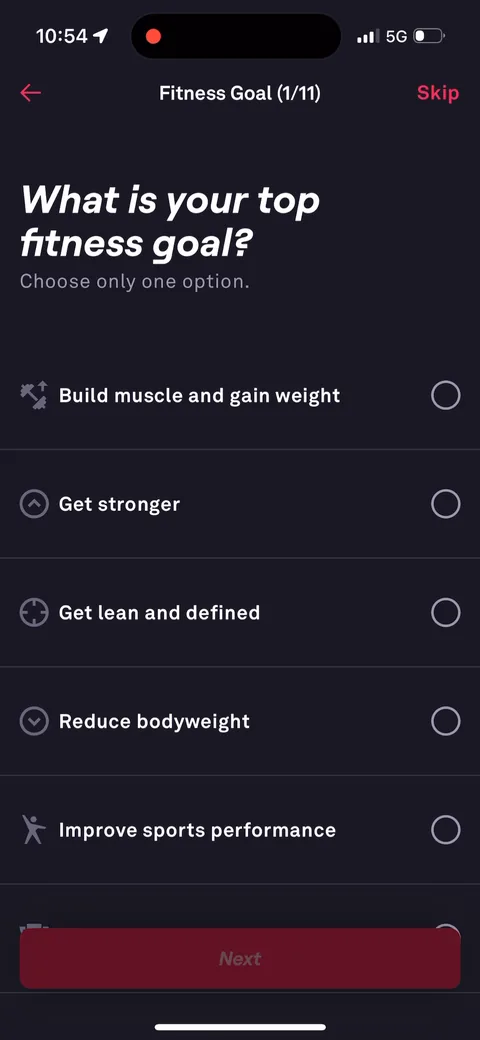
Fitbod onboarding screen 6: 'Fitness Goal (1/11)' with a Skip in the corner6
'Fitness Goal (1/11)' with a Skip in the corner. The step counter tells you exactly how long the quiz is, and Skip on every question lowers the pressure. 'Choose only one option' forces a primary goal they can build around.
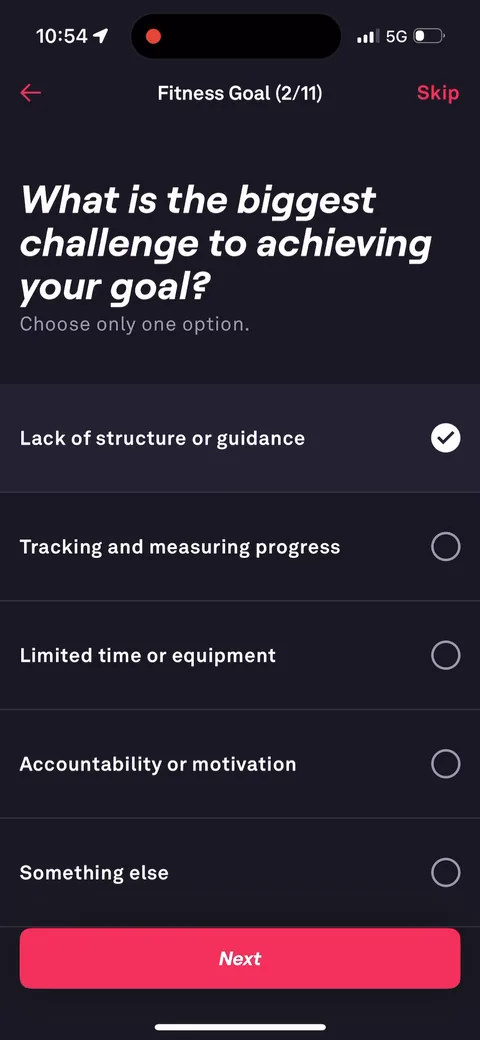
Fitbod onboarding screen 13: 'What is the biggest challenge to achieving your goal?' Lack of structure, tracking progress, limited time or…13
'What is the biggest challenge to achieving your goal?' Lack of structure, tracking progress, limited time or equipment, accountability. Each answer is something Fitbod claims to solve, so the quiz sets up the pitch.
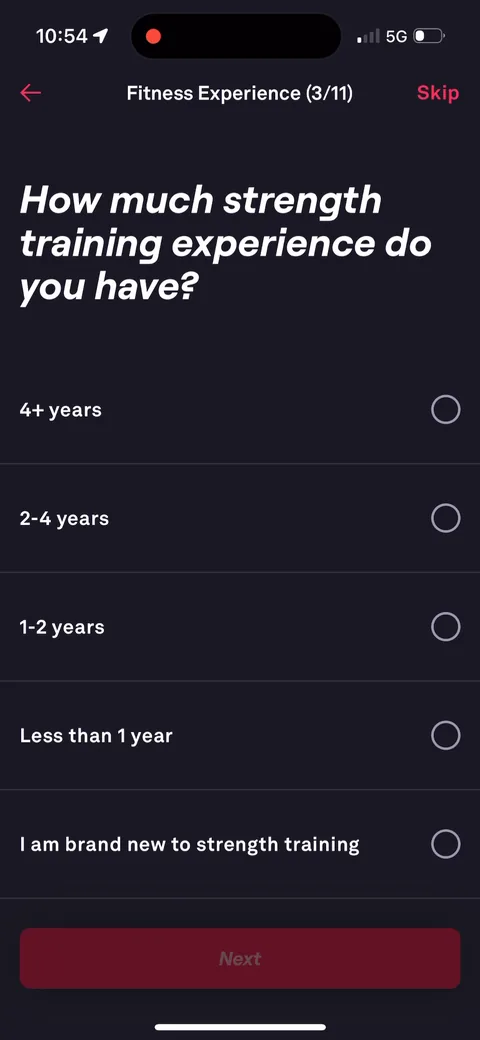
Fitbod onboarding screen 14: 'How much strength training experience do you have?' From '4+ years' to 'I am brand new to strength training'14
'How much strength training experience do you have?' From '4+ years' to 'I am brand new to strength training'. Concrete time ranges are easier to answer honestly than beginner/intermediate/advanced.
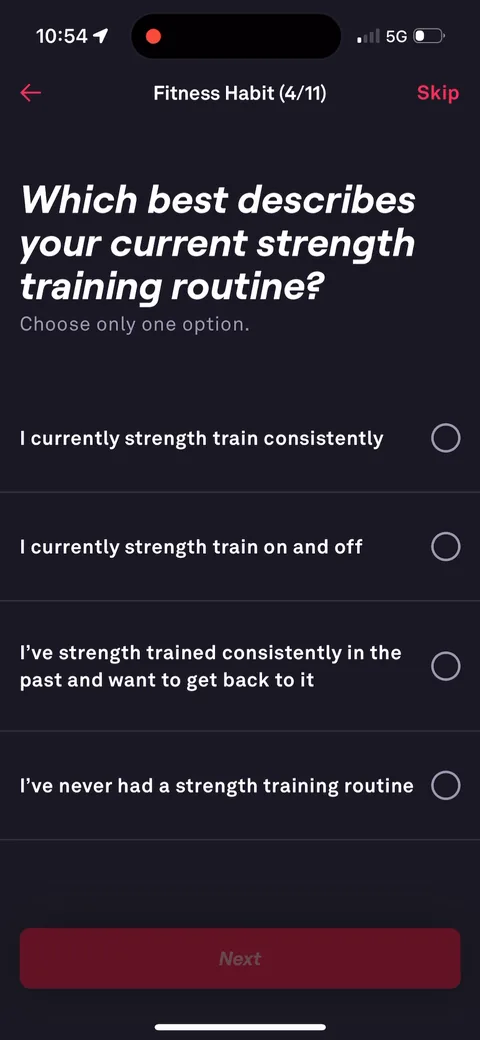
Fitbod onboarding screen 15: 'Which best describes your current strength training routine?' includes 'I've strength trained consistently…15
'Which best describes your current strength training routine?' includes 'I've strength trained consistently in the past and want to get back to it.' Nice to see the lapsed lifter called out. That's a big chunk of their audience.
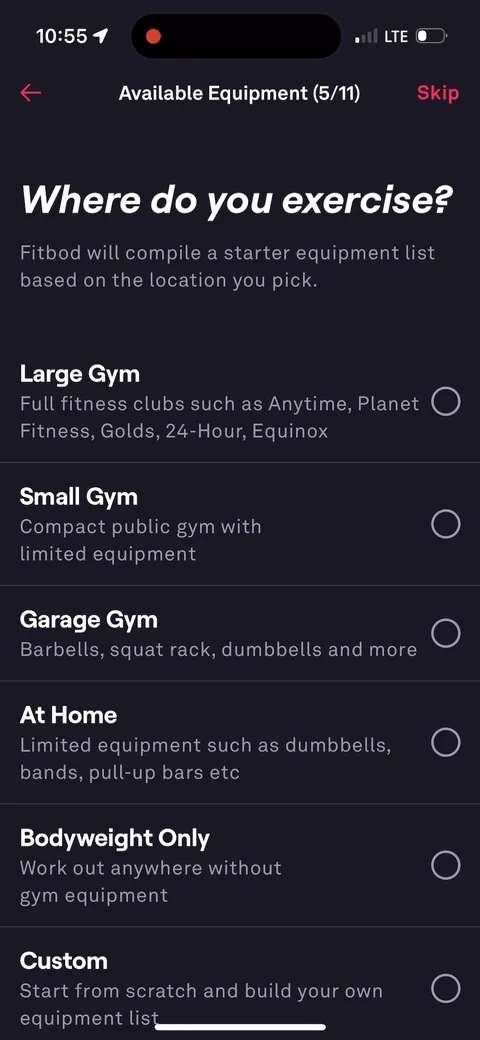
Fitbod onboarding screen 17: 'Where do you exercise17
'Where do you exercise? Fitbod will compile a starter equipment list based on the location you pick.' Large gym, small gym, garage gym, at home, bodyweight only. Smart. One tap pre-fills a long list so you only edit instead of building it from scratch.
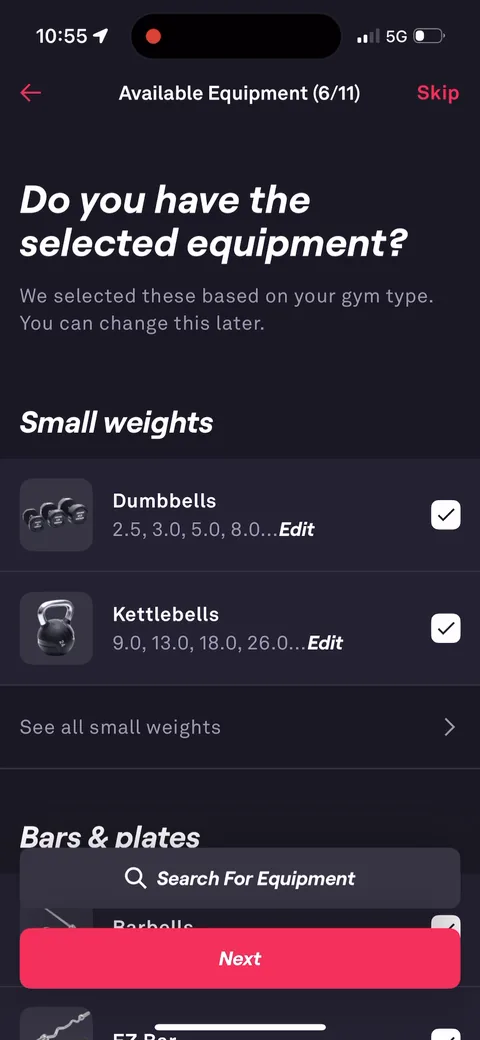
Fitbod onboarding screen 18: 'Do you have the selected equipment18
'Do you have the selected equipment? We selected these based on your gym type.' A long checklist, from dumbbells with weights to cable machines to TRX. It took this tester about 30 frames of scrolling. Real work, but it's the data that makes the workouts fit your gym, and it's an investment before the ask.
100% free
19 more screens

See the rest of this flow.

You are 10 screens into Fitbod. Enter your email to unlock the remaining 19, plus every other teardown in the library.
100% free, just your email.
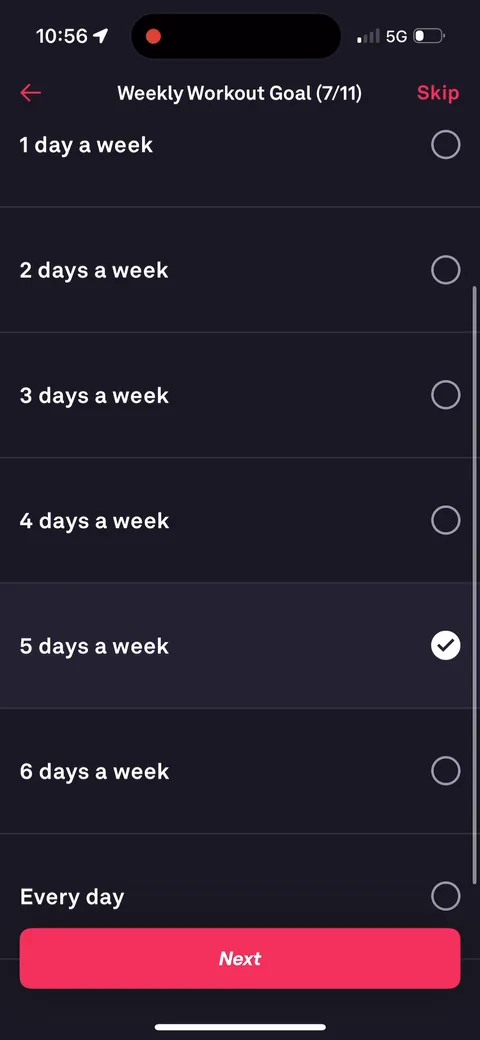
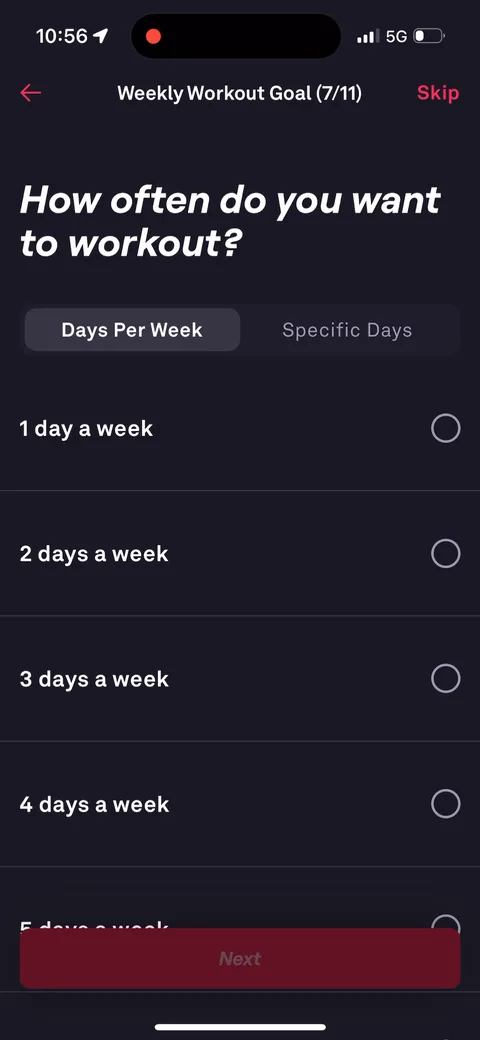
Fitbod onboarding screen 49: 'How often do you want to workout?' with Days Per Week or Specific Days49
'How often do you want to workout?' with Days Per Week or Specific Days. The weekly goal feeds the projection chart later.
Fitbod onboarding screen 5252
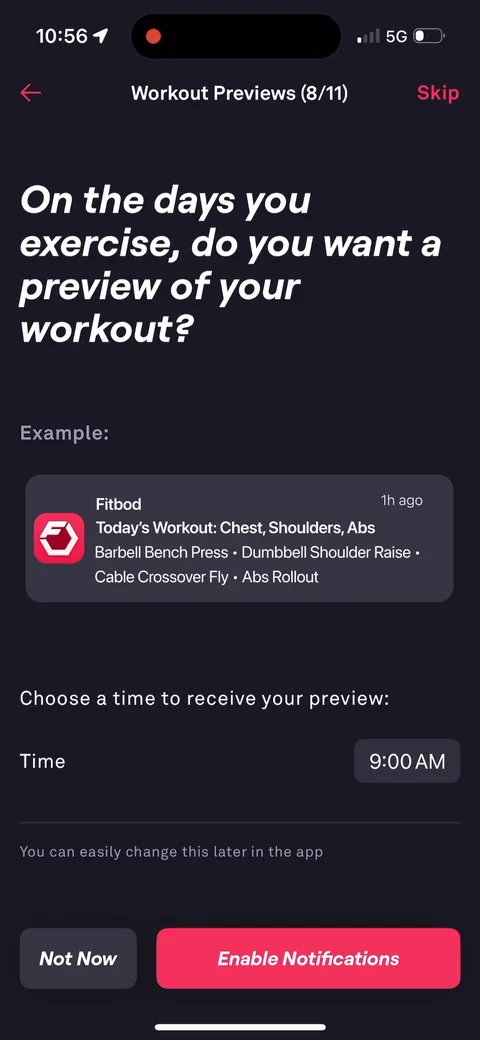
Fitbod onboarding screen 53: 'On the days you exercise, do you want a preview of your workout?' with an example push: 'Today's Workout…53
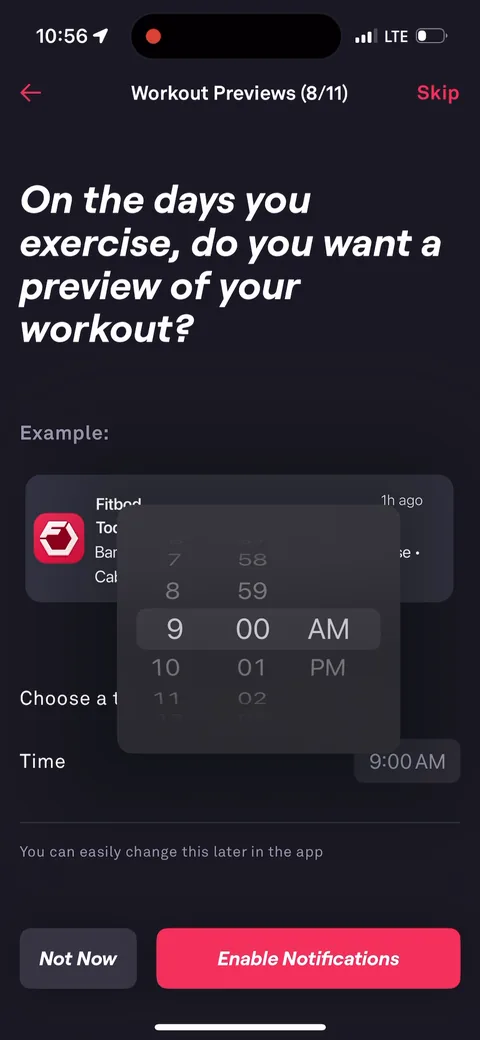
'On the days you exercise, do you want a preview of your workout?' with an example push: 'Today's Workout: Chest, Shoulders, Abs. Barbell Bench Press, Dumbbell Shoulder Raise...' and a time picker. The notification ask is framed around a specific, useful benefit. Much better than 'enable notifications'.
Fitbod onboarding screen 5555
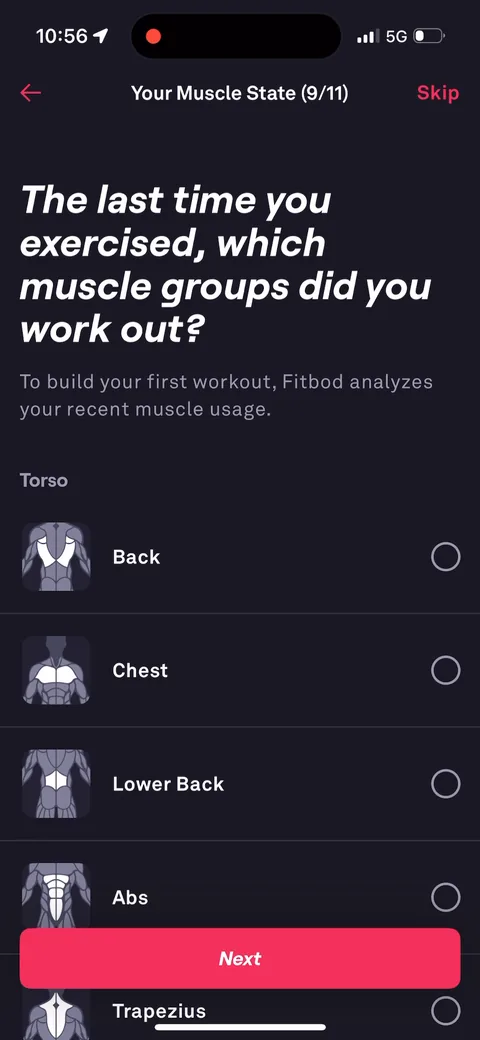
Fitbod onboarding screen 59: 'The last time you exercised, which muscle groups did you work out59
'The last time you exercised, which muscle groups did you work out? To build your first workout, Fitbod analyzes your recent muscle usage.' Tells you exactly why they're asking and what it's for: your first workout.
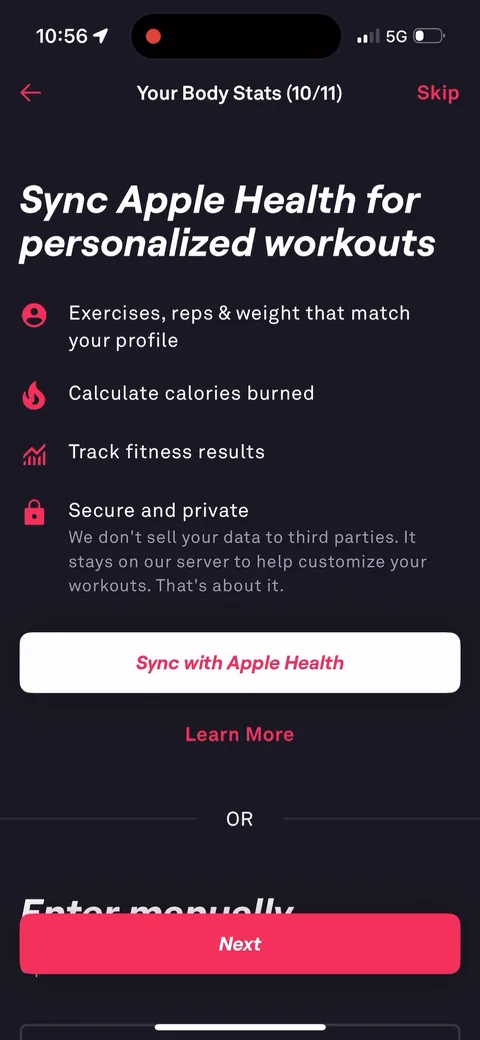
Fitbod onboarding screen 62: 'Sync Apple Health for personalized workouts' with 'Secure and private: We don't sell your data to third…62
'Sync Apple Health for personalized workouts' with 'Secure and private: We don't sell your data to third parties. It stays on our server to help customize your workouts. That's about it.' The casual 'That's about it' makes the privacy promise feel human. And there's an 'Enter manually' option below.
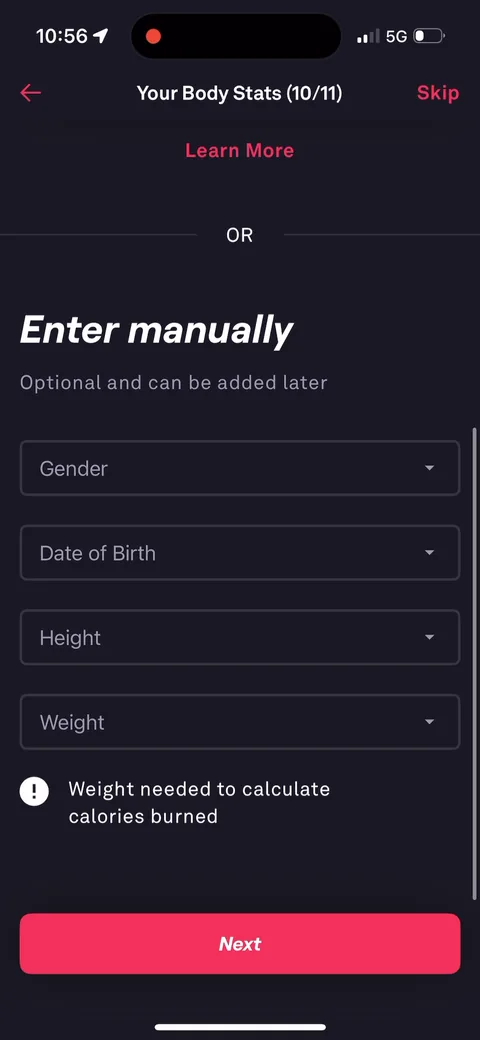
Fitbod onboarding screen 70: 'Enter manually: Optional and can be added later.' Gender, date of birth, height, weight, with 'Weight needed…70
'Enter manually: Optional and can be added later.' Gender, date of birth, height, weight, with 'Weight needed to calculate calories burned.' Everything is optional, so nobody drops here.
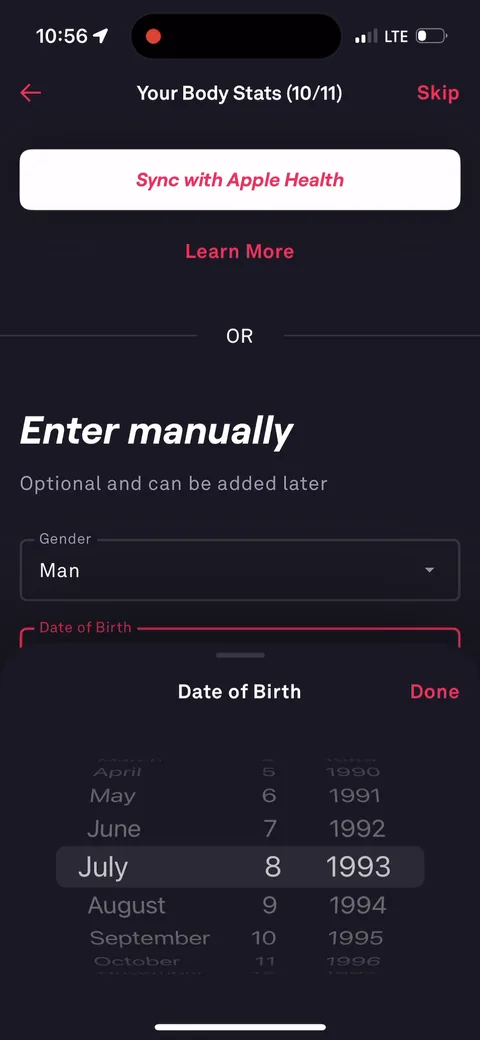
Fitbod onboarding screen 73: Date of birth in the manual body stats73
Date of birth in the manual body stats. Optional, like the rest of the section.
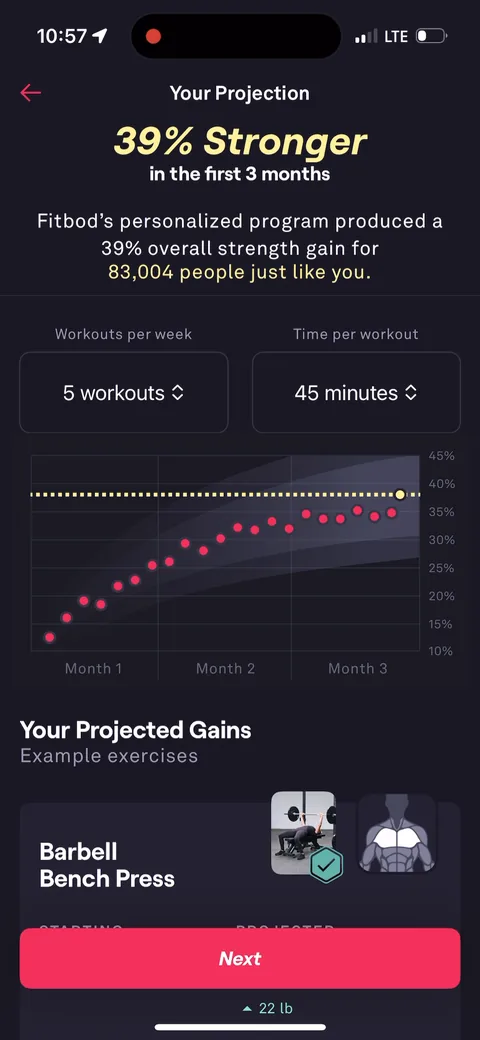
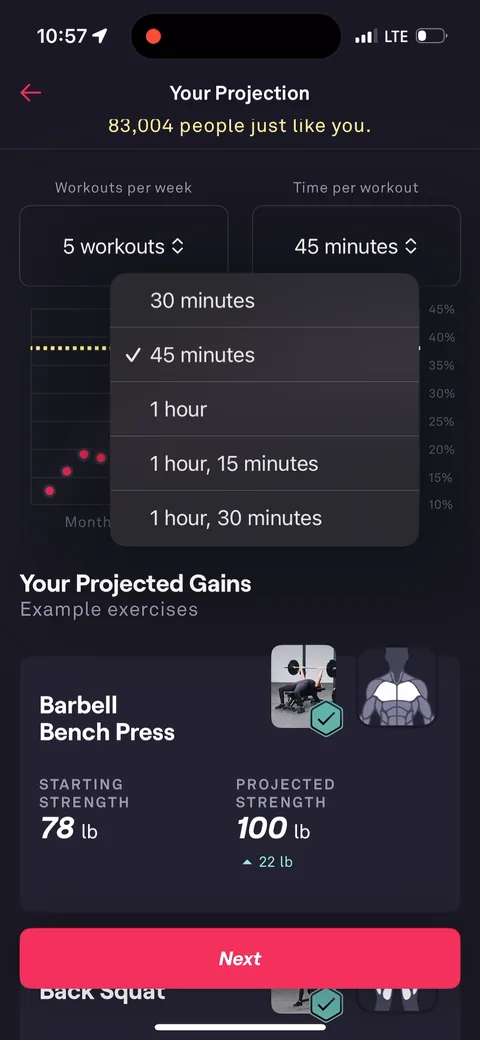
Fitbod onboarding screen 76: 'Your Projection: 39% Stronger in the first 3 months76
'Your Projection: 39% Stronger in the first 3 months. Fitbod's personalized program produced a 39% overall strength gain for 83,004 people just like you.' Social proof and a personal outcome in one screen, plus projected gains per lift (Barbell Bench Press 78 lb to 100 lb).
Fitbod onboarding screen 79: Workouts per week and time per workout are dropdowns right on the projection79
Workouts per week and time per workout are dropdowns right on the projection. You can play with your plan instead of just reading it.
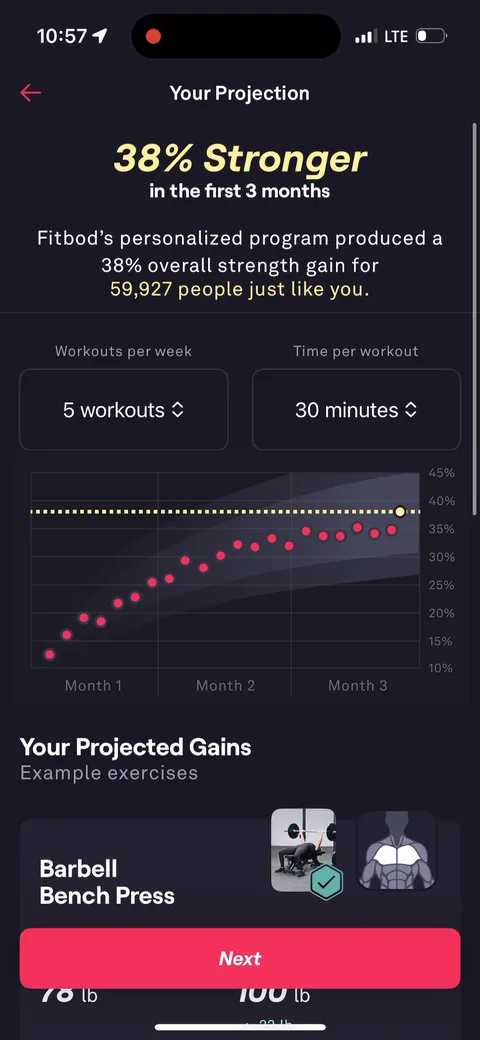
Fitbod onboarding screen 81: Drop time per workout to 30 minutes and the projection updates: '38% Stronger' for '59,927 people just like…81
Drop time per workout to 30 minutes and the projection updates: '38% Stronger' for '59,927 people just like you.' The number and the cohort both change with your inputs. An interactive personalization moment that makes the projection feel real, not canned.
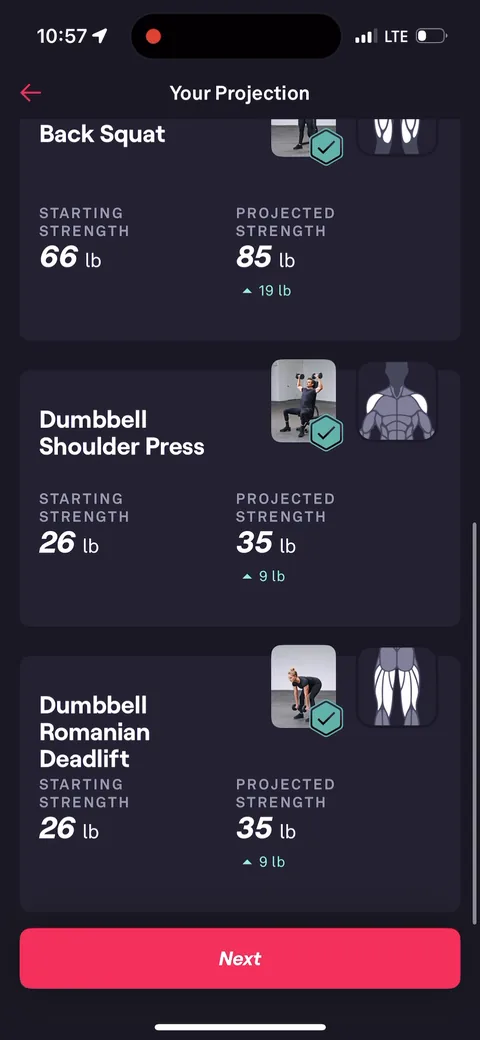
Fitbod onboarding screen 82: Projected strength per exercise: Back Squat 66 lb to 85 lb, Dumbbell Shoulder Press 26 lb to 35 lb82
Projected strength per exercise: Back Squat 66 lb to 85 lb, Dumbbell Shoulder Press 26 lb to 35 lb. Specific numbers on specific lifts are more believable than a generic 'get stronger'.
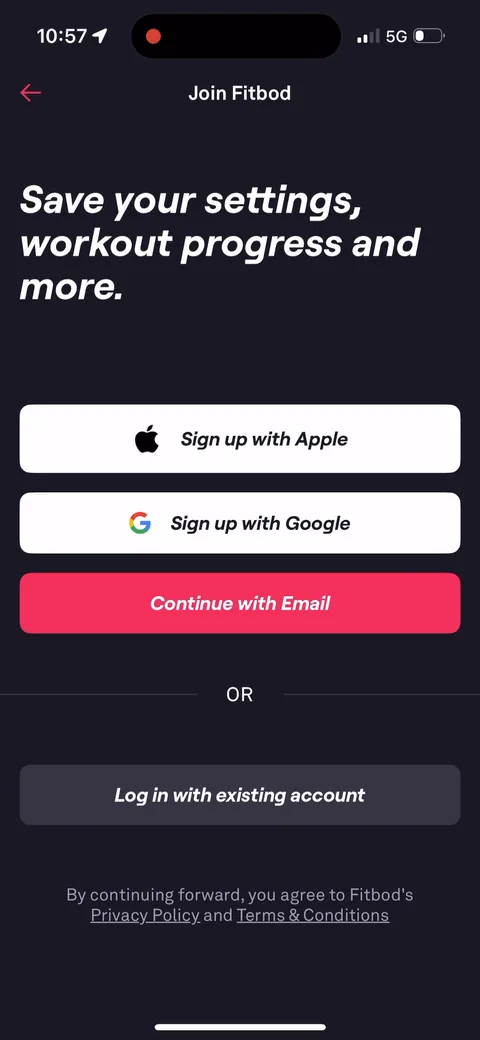
Fitbod onboarding screen 83: 'Join Fitbod: Save your settings, workout progress and more.' Account creation comes after 11 steps of setup…83
'Join Fitbod: Save your settings, workout progress and more.' Account creation comes after 11 steps of setup and the projection. The framing is loss aversion: sign up or lose the plan you just built. Deeper placement means fewer people drop before seeing value.
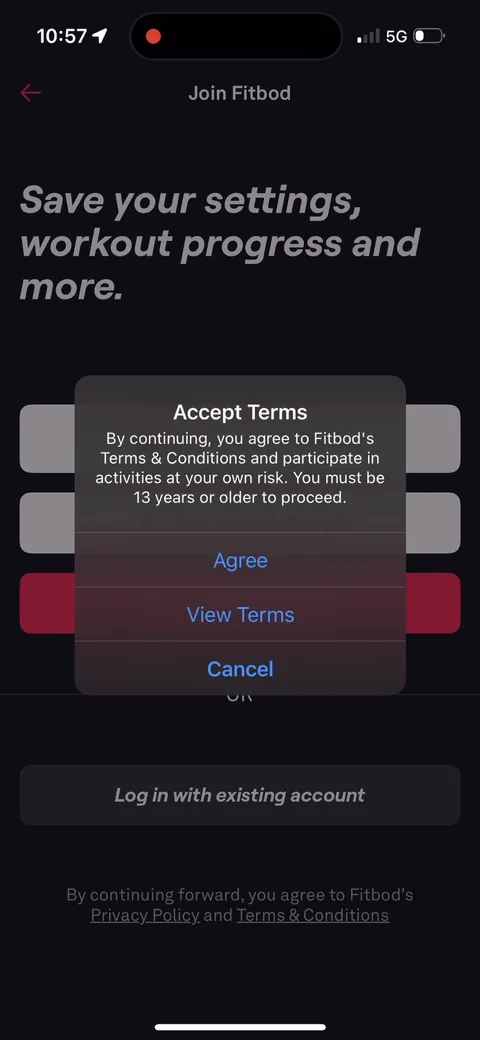
Fitbod onboarding screen 84: An 'Accept Terms' dialog before signup, including 'You must be 13 years or older to proceed.' The legal step…84
An 'Accept Terms' dialog before signup, including 'You must be 13 years or older to proceed.' The legal step is a small popup, not its own screen.
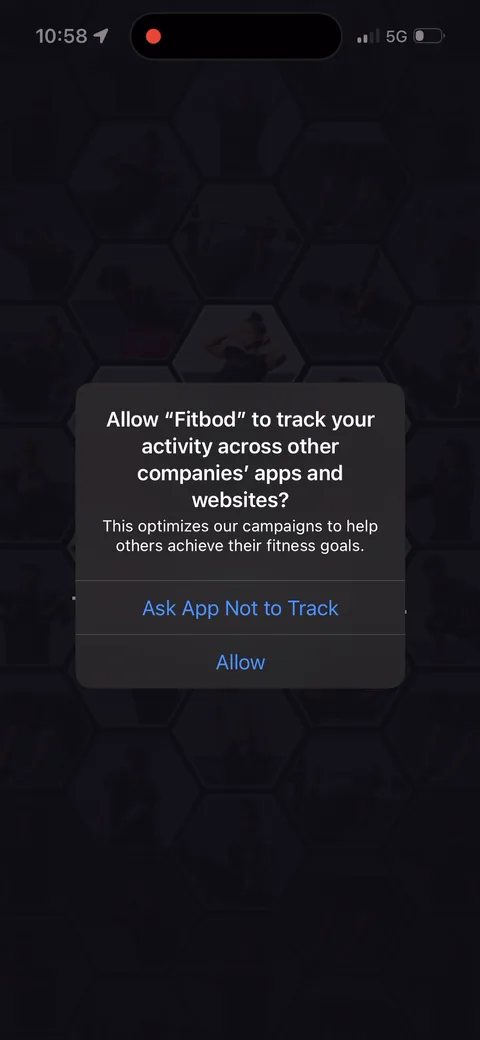
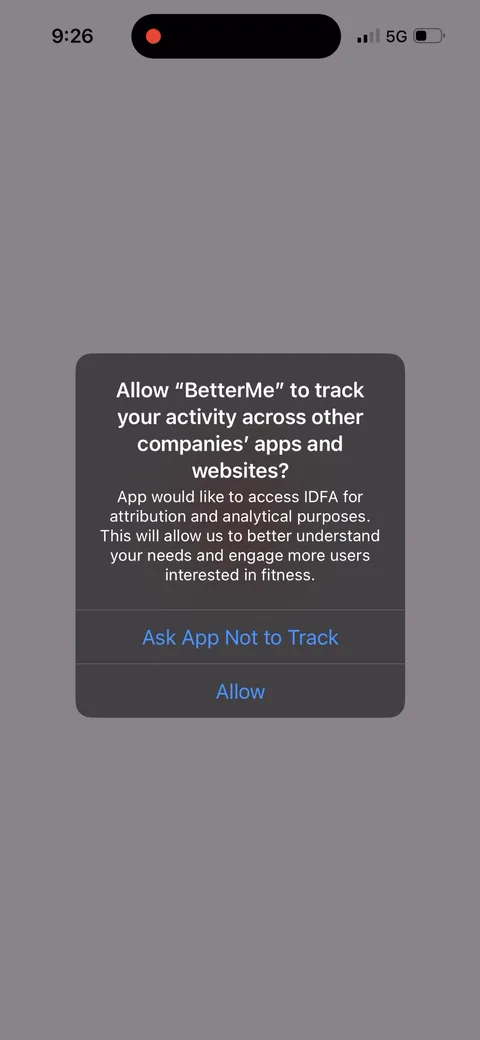
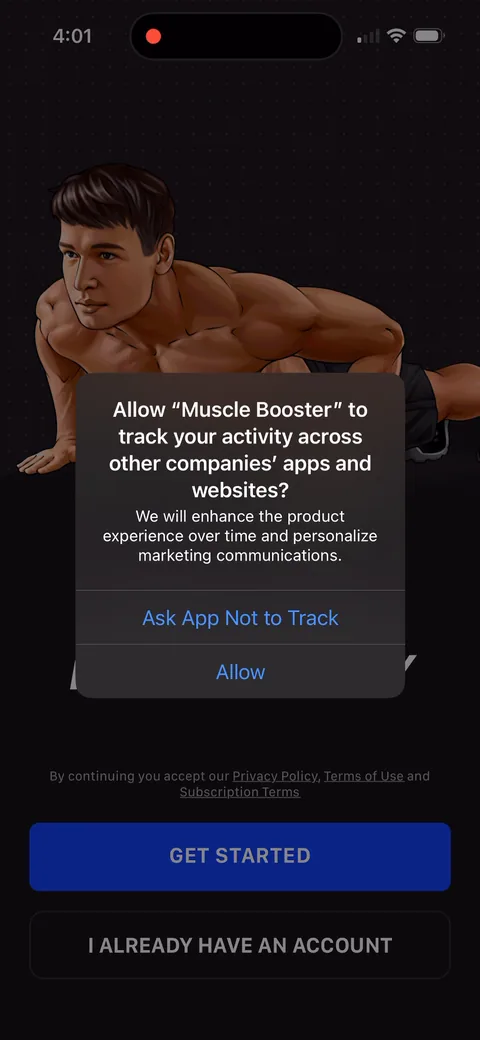
Fitbod onboarding screen 94: ATT prompt right after signup, with custom copy: 'This optimizes our campaigns to help others achieve their…94
ATT prompt right after signup, with custom copy: 'This optimizes our campaigns to help others achieve their fitness goals.' Framing tracking as helping other people is a smart way to ask.
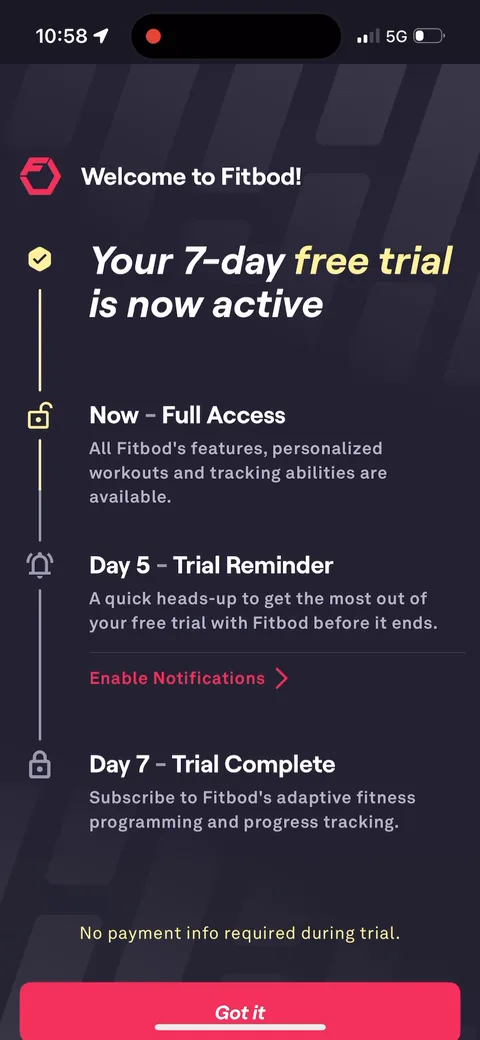
Fitbod onboarding screen 95: No paywall95
No paywall. 'Welcome to Fitbod! Your 7-day free trial is now active' with a timeline: Now full access, Day 5 trial reminder, Day 7 trial complete, and 'No payment info required during trial.' A reverse trial. You get the whole product first, and the Day 5 row has an 'Enable Notifications' link so the reminder ask rides on the trial.
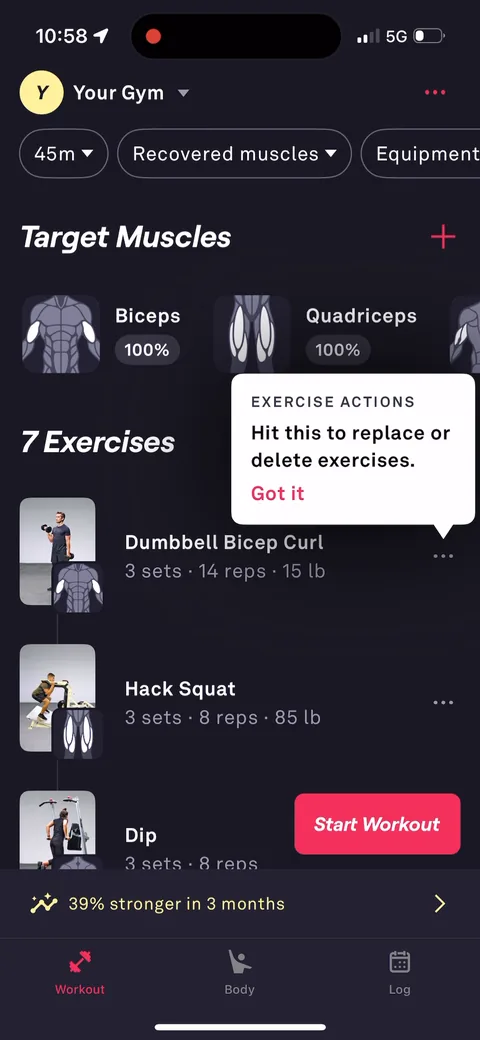
Fitbod onboarding screen 99: You land on a generated workout, not a blank dashboard: 7 exercises with sets, reps and weights, a 'Start…99
You land on a generated workout, not a blank dashboard: 7 exercises with sets, reps and weights, a 'Start Workout' button and a tooltip ('Hit this to replace or delete exercises'). Clear first task. '39% stronger in 3 months' stays pinned at the bottom, echoing the projection.
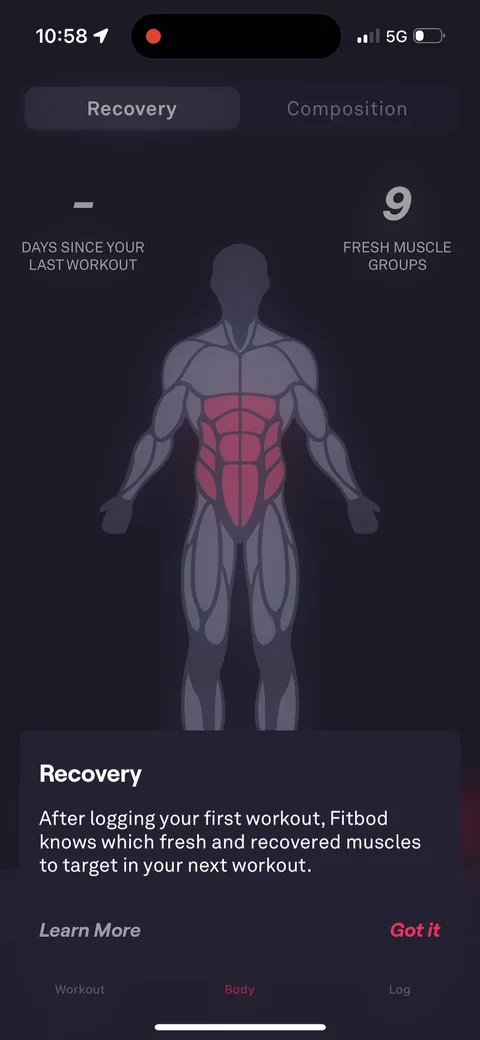
Fitbod onboarding screen 101: The Body tab: Recovery, 'Days since your last workout' and '9 fresh muscle groups', with a tooltip explaining…101
The Body tab: Recovery, 'Days since your last workout' and '9 fresh muscle groups', with a tooltip explaining Fitbod picks your next workout from recovered muscles. Contextual education on first visit.
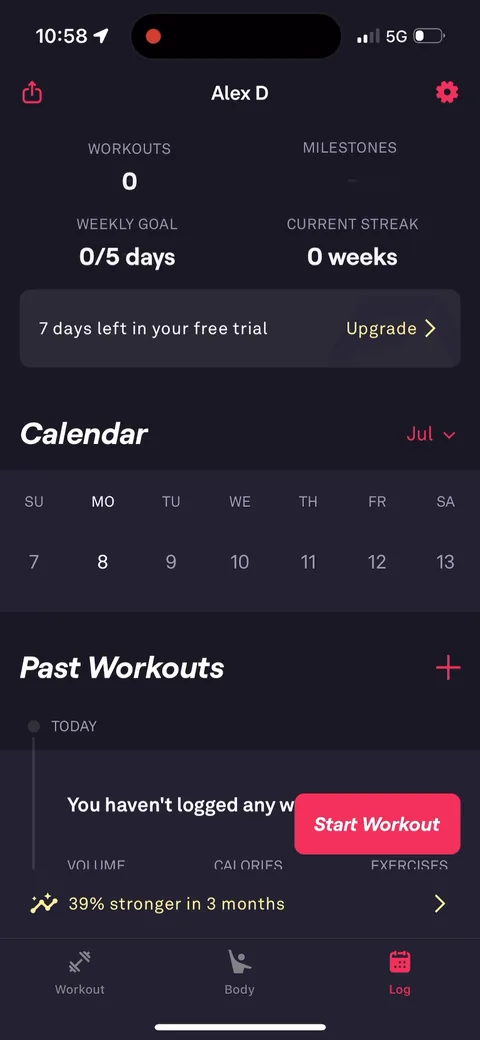
Fitbod onboarding screen 103: The profile shows '7 days left in your free trial' with an Upgrade link103
The profile shows '7 days left in your free trial' with an Upgrade link. The trial countdown is always a tap away, but the first pricing screen comes after the user has lived in the product.