← All flows
Meditation

Insight Timer onboarding flow

16 screens · Screen Recording · recorded Jul 2024
MeditationFreemiumpaywall: post onboarding quizquiz drivengoal settingsocial proof heavyone plan onlyannual default with trialtestimonial heavy

Insight Timer pricing and paywall terms

Single plan: 7-day free trial, then $59.99/year, skippable

Insight Timer onboarding screen 2: They open on a Gabriel Garcia Marquez quote and a live 2
They open on a Gabriel Garcia Marquez quote and a live "557,795 here today" counter. The counter is social proof in real time. It tells you people are meditating right now, before you've tapped anything.
Insight Timer onboarding screen 6: 6
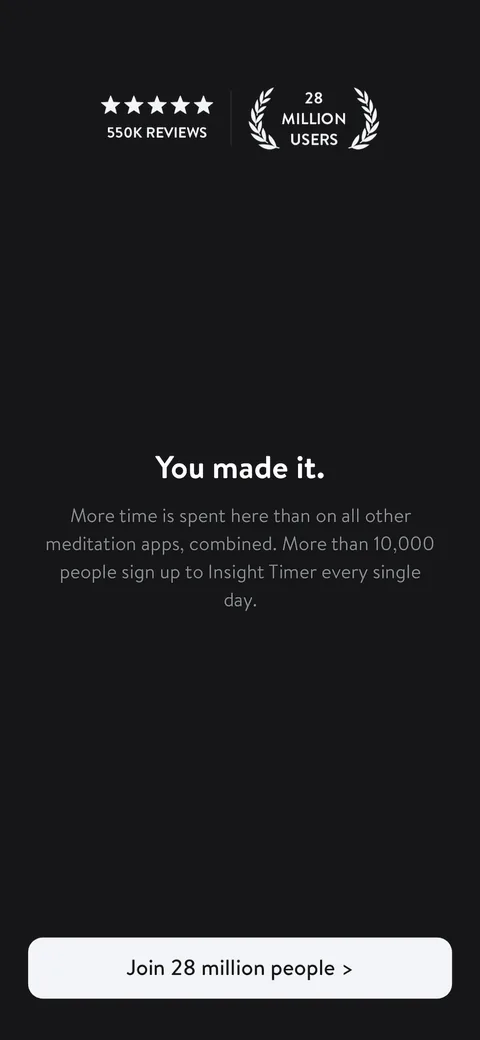
"You made it." plus 550K reviews, 28 million users, and "More time is spent here than on all other meditation apps, combined." Heavy social proof up front, and the laurels do what laurels always do. The CTA "Join 28 million people" turns the start button into a belonging moment.
Insight Timer onboarding screen 11: 11
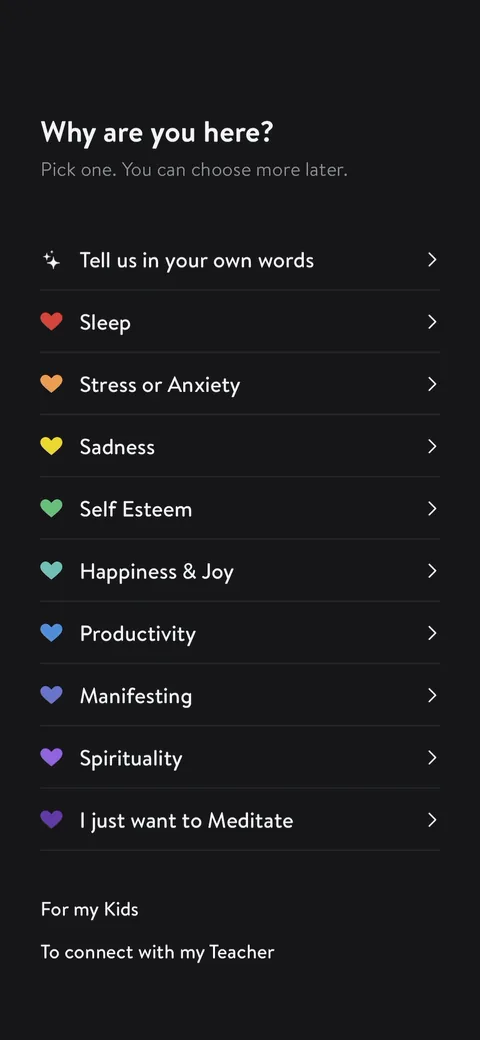
"Why are you here?" with a "Tell us in your own words" option at the top. Letting people type their own reason is a nice touch, and "Pick one. You can choose more later" admits it should really be multi-select.
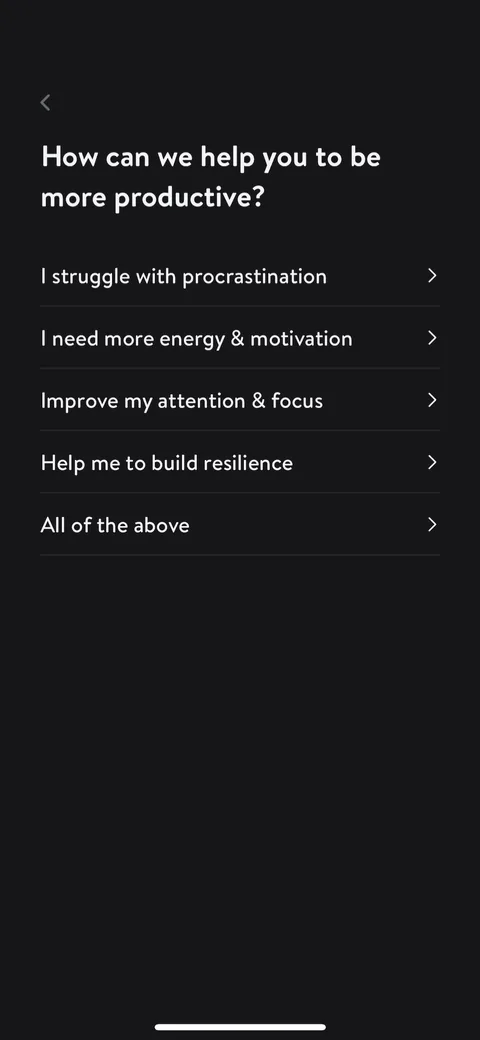
Insight Timer onboarding screen 13: Picking Productivity branches into a follow-up: 13
Picking Productivity branches into a follow-up: "How can we help you to be more productive?" Branching quizzes make the questions feel relevant to you instead of a generic form.
Insight Timer onboarding screen 15: 15
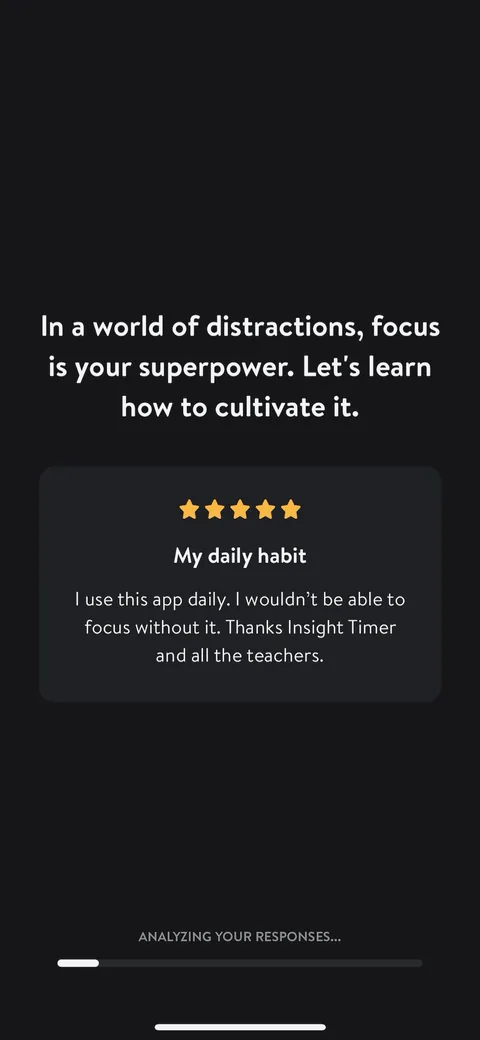
"In a world of distractions, focus is your superpower." They echo my Productivity pick straight back, drop in a 5-star review called "My daily habit" about focus, and show "Analyzing your responses..." underneath. Personalization, social proof, and a loading bar on one screen.
Insight Timer onboarding screen 19: 19
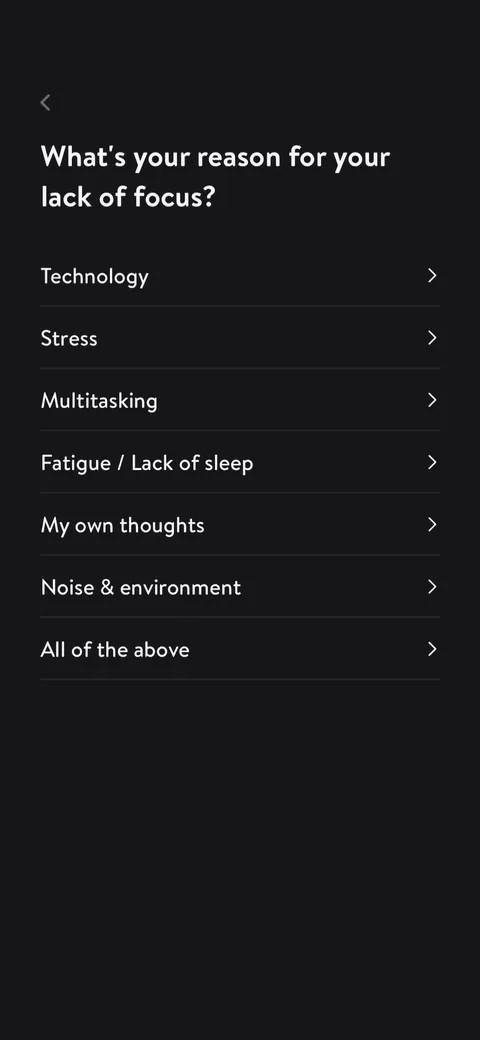
"What's your reason for your lack of focus?" Another single-select where "All of the above" is doing the job multi-select should. Most people would pick two or three of these.
Insight Timer onboarding screen 21: Experience level: 21
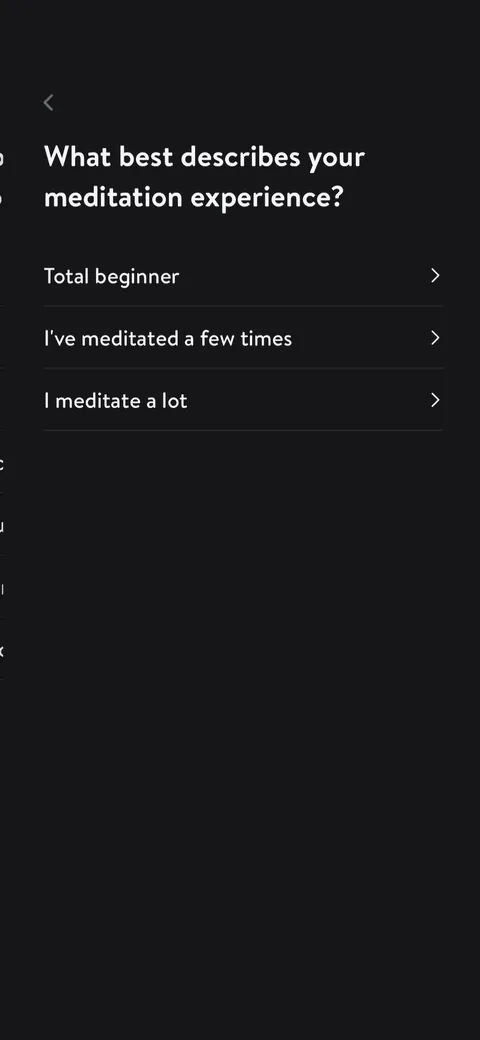
Experience level: "Total beginner / I've meditated a few times / I meditate a lot." Short and useful for recommending content. Three options is right here.
Insight Timer onboarding screen 23: 23
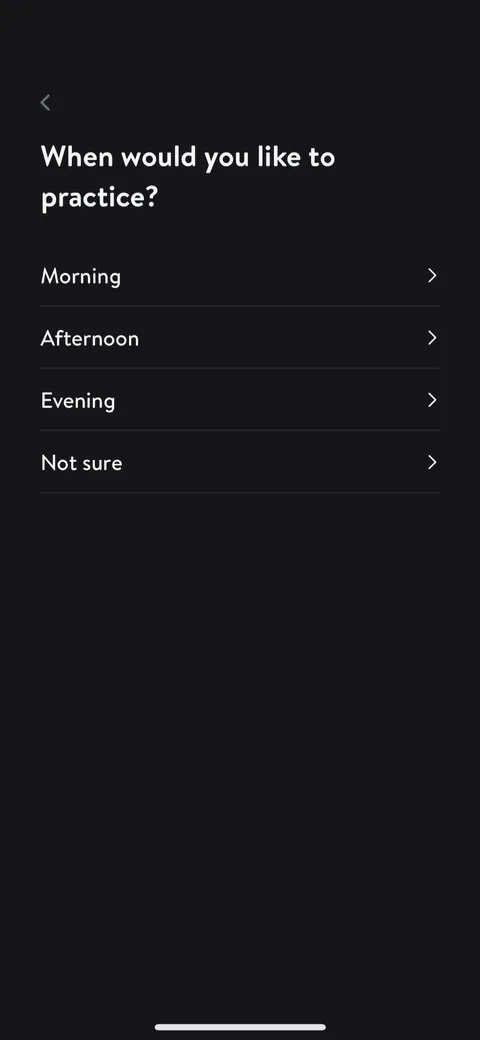
"When would you like to practice?" This sets up the notification ask on the next screen. Asking the time first makes the permission feel like something you requested.
Insight Timer onboarding screen 26: 26
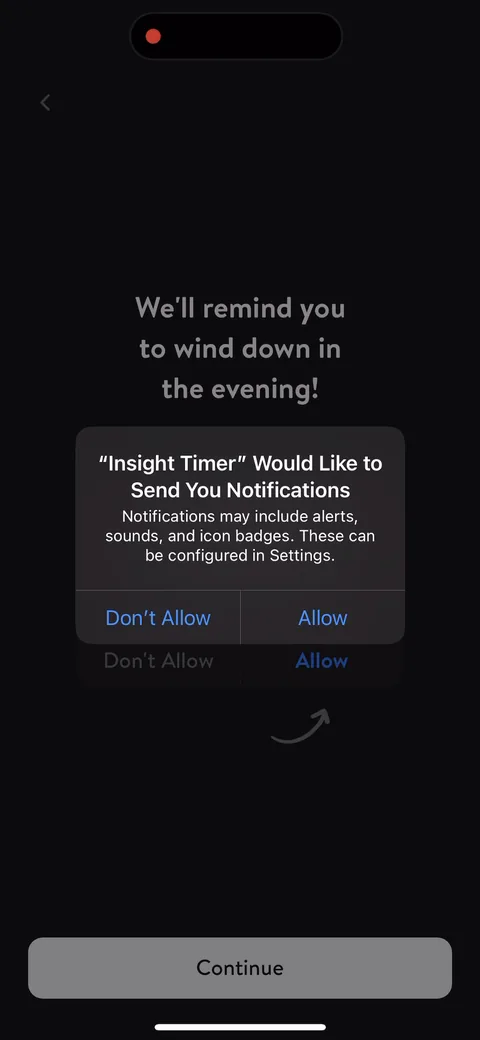
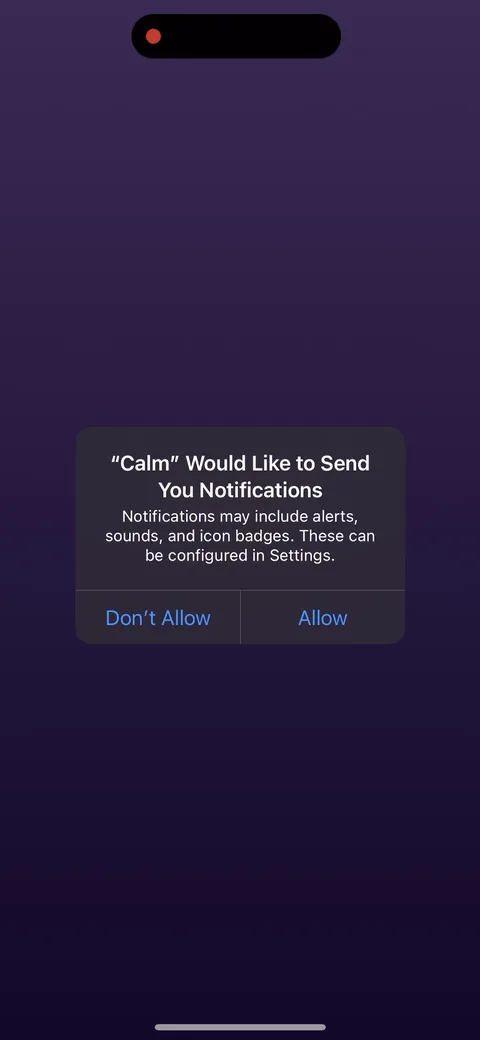
"We'll remind you to wind down in the evening!" The primer uses my answer (evening) and points an arrow at Allow. Tying the notification to a specific benefit and time is how you get opt-in rates up.
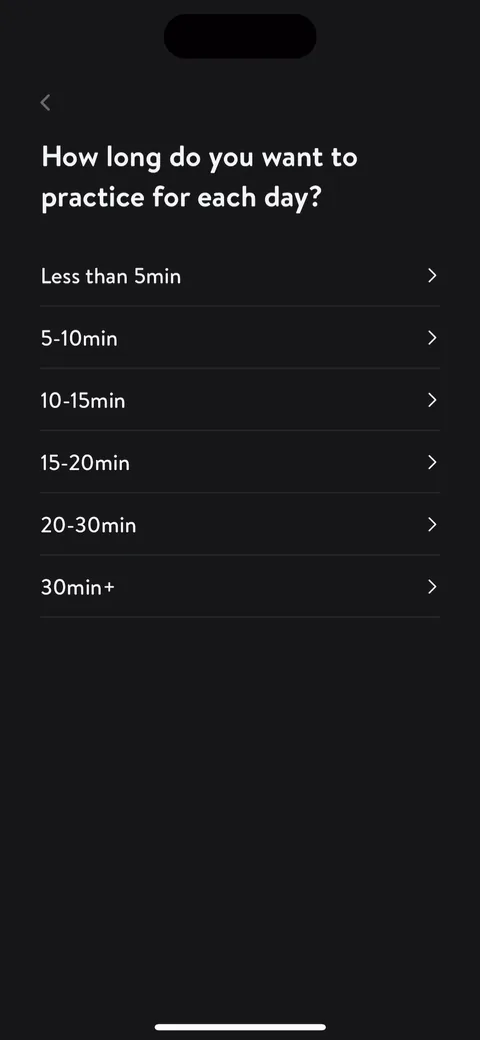
Insight Timer onboarding screen 28: 28
"How long do you want to practice for each day?" starting at "Less than 5min." A small-sounding option lowers the bar, and it's a micro-commitment to a daily habit.
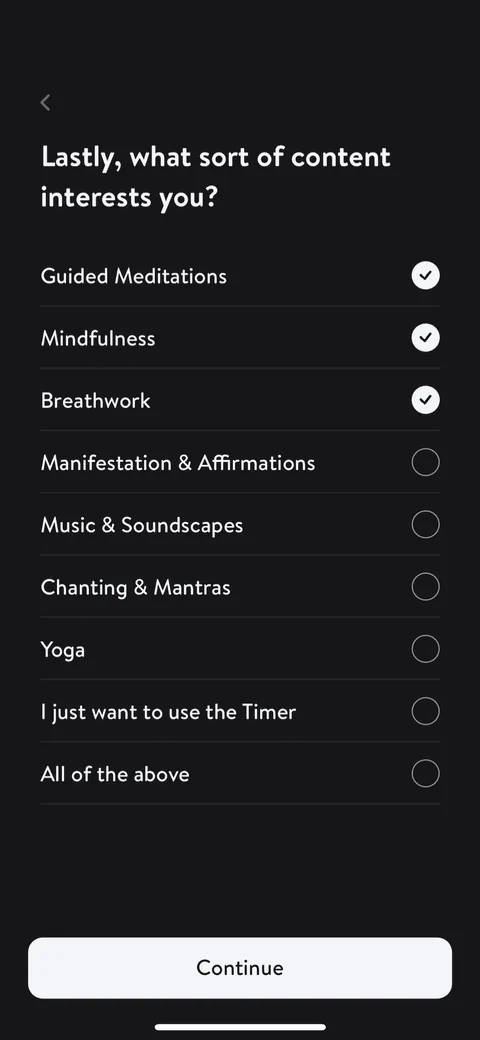
Insight Timer onboarding screen 32: 32
"Lastly, what sort of content interests you?" The one multi-select in the flow, and "Lastly" tells you you're almost done. Goal gradient doing its job right before the plan reveal.
Insight Timer onboarding screen 33: 33
"We're curating a personalized Meditation program for you." Loading screen to show the work they're doing for you and to reinforce the personalization value.
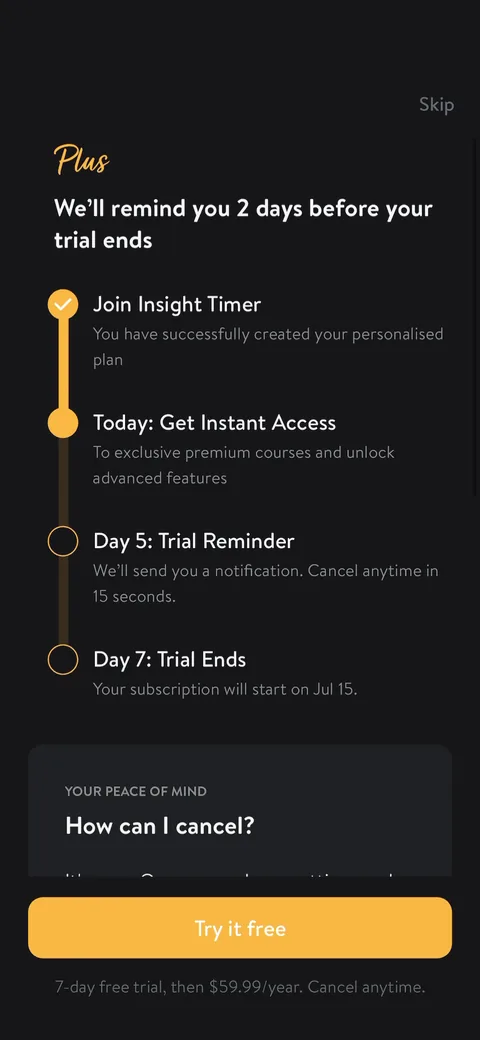
Insight Timer paywall with pricing, onboarding screen 3535
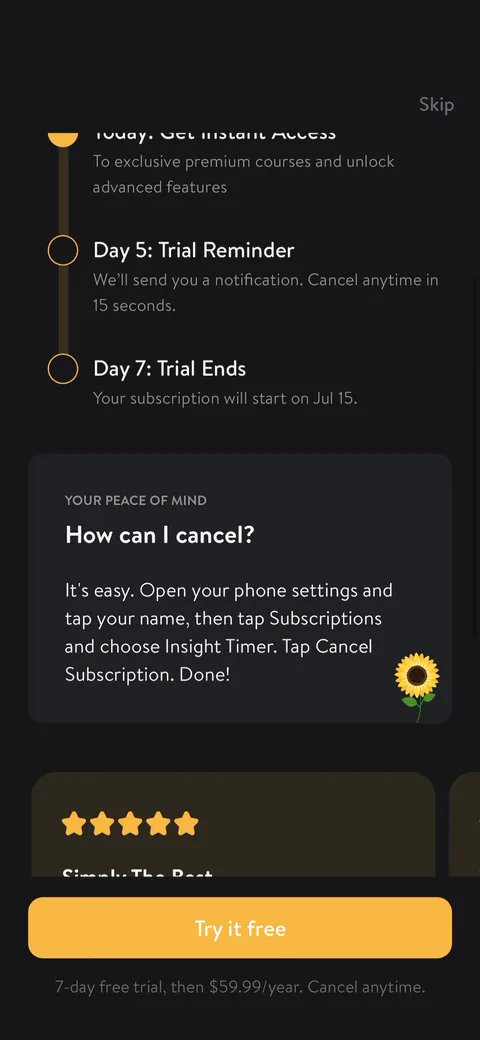
A single-plan trial paywall: "7-day free trial, then $59.99/year." They use the Blinkist-style timeline ("We'll remind you 2 days before your trial ends", Day 5 reminder, Day 7 trial ends) to lower the trial anxiety. Skip sits top right, which fits a freemium app with a huge free library. No plan choice, so no decoy or monthly anchor to make the annual price feel smaller.
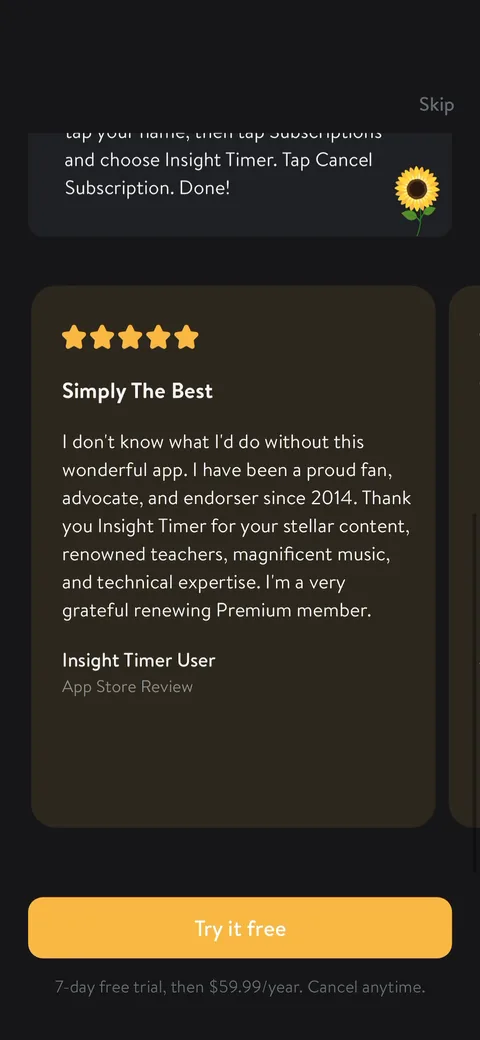
Insight Timer onboarding screen 36: Scroll down and you get an App Store review (36
Scroll down and you get an App Store review ("Simply The Best") from a long-time Premium member. Testimonials below the fold are fine, but most people decide from the first screen.
Insight Timer onboarding screen 37: 37
"Your peace of mind: How can I cancel?" with the exact steps. Spelling out cancellation lowers the fear of a trial trap, and it's on-brand for a calm app.
Insight Timer onboarding screen 38: After skipping, home leads with 38
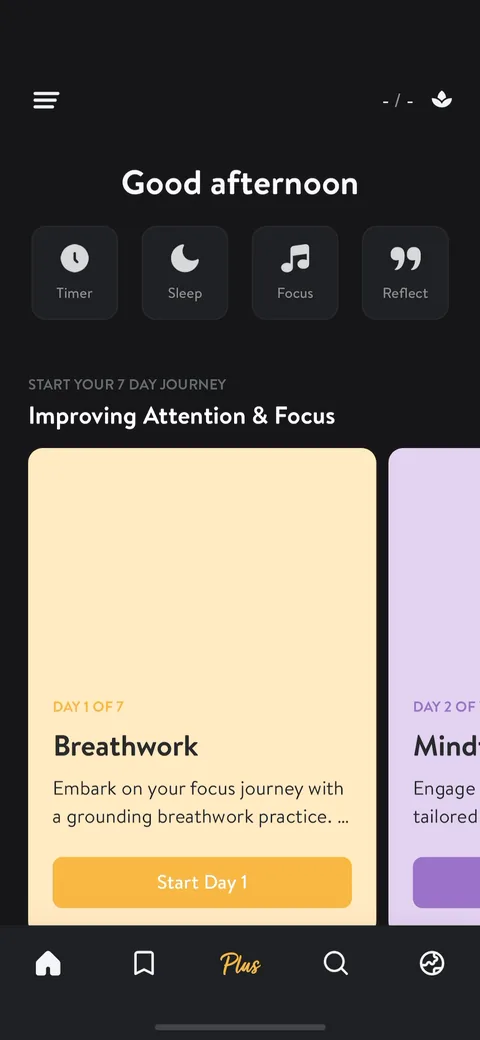
After skipping, home leads with "Start your 7 day journey: Improving Attention & Focus" and "Day 1 of 7: Breathwork." My focus answers carried all the way into the home screen with a clear first task. That's good activation, not a blank dashboard.