Account Creation
Creating an account with Botsi is the first step to accessing your dashboard and managing your app's insights. Start today and gain access to a suite of features that will empower you to:
Launch and test new monetization ideas faster: Experiment with pricing, offers, and paywall configurations with ease.
Personalize paywalls by user behavior or region: Tailor your in-app experience to maximize engagement and conversions.
Track revenue and retention in real time: Get a clear, instant view of your app's performance with comprehensive analytics.
Remotely configure pricing, offers, and onboarding flows: Make changes on the fly without needing new app releases.
Stay compliant with App Store and Play Store rules: Botsi handles the complex parts of in-app purchases and subscriptions, keeping you covered.
Create your account
Here's a step-by-step guide on how to create an account on Botsi:
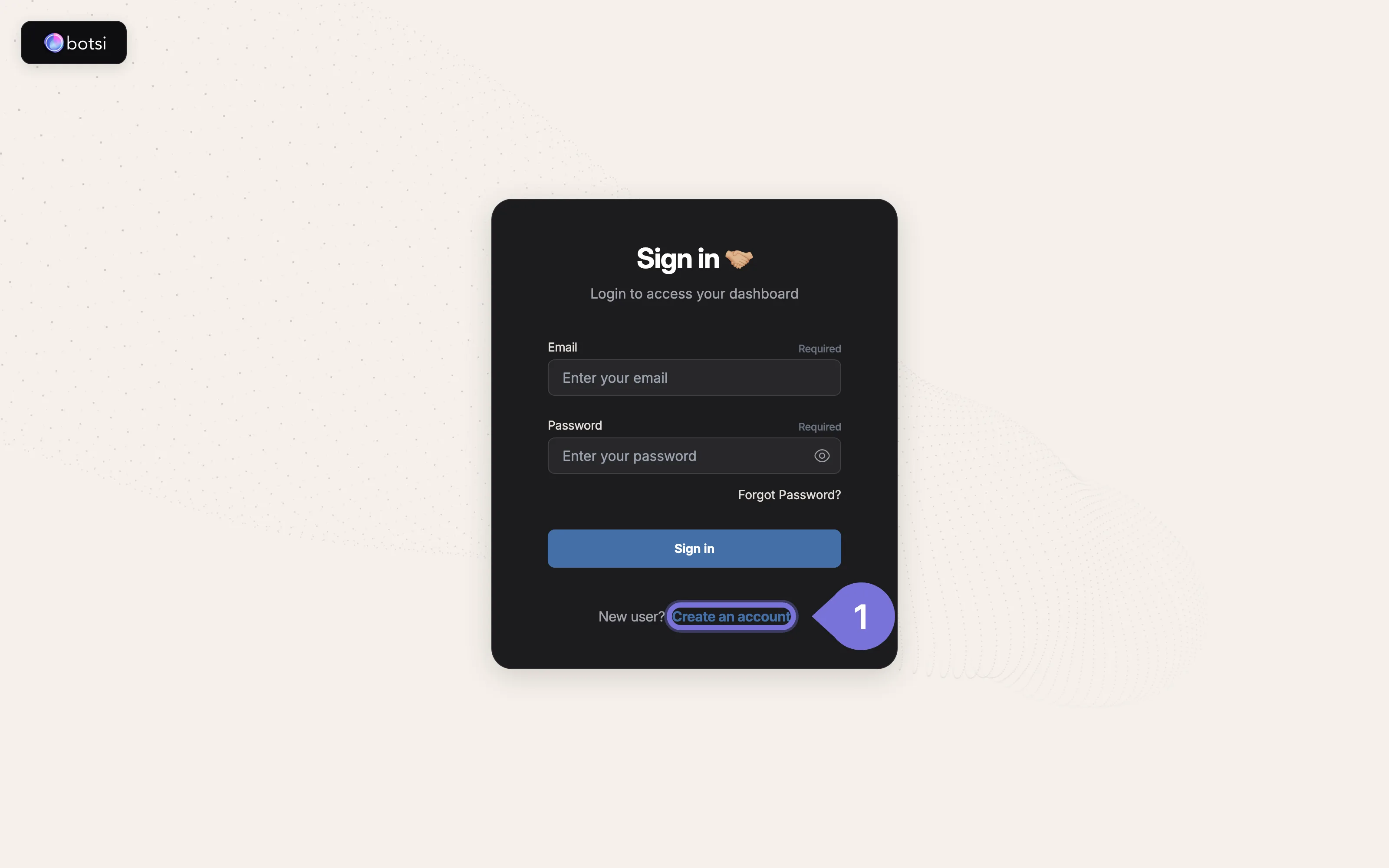
- Open the Sign Up Page and click on the Create an account link. This will take you to the Sign up page.
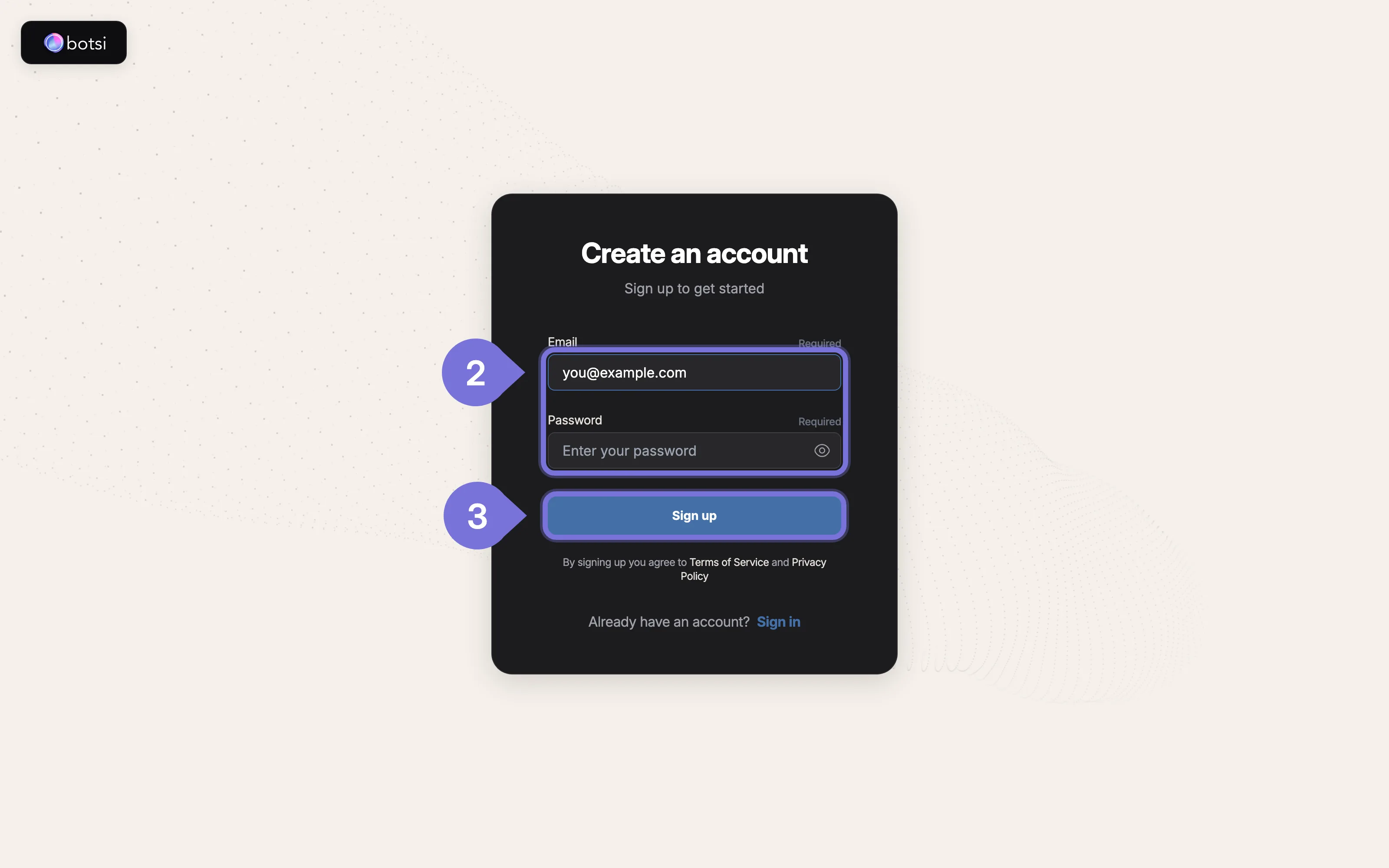
- On the Sign up page, fill out the two required fields:
- Email: Enter your email address in the Enter your email field.
- Password: Enter your desired password in the Enter your password field.
- Click the Sign up button.