Create Placements
Creating a Placement allows you to set up and run a Paywall, an A/B Test, or an AI Pricing Model for a specific audience within your app. Placements define how your Paywall is shown and to whom, helping you optimize revenue performance.
Use this guide to configure your Placement step by step.
Requirements
Before creating a Placement in Botsi, make sure:
-
You have created a Paywall.
-
(Optional) You have created a User Segment to add the Audience.
Creating an audience is optional since Botsi will default to targeting All Users.
To Create a Placement
-
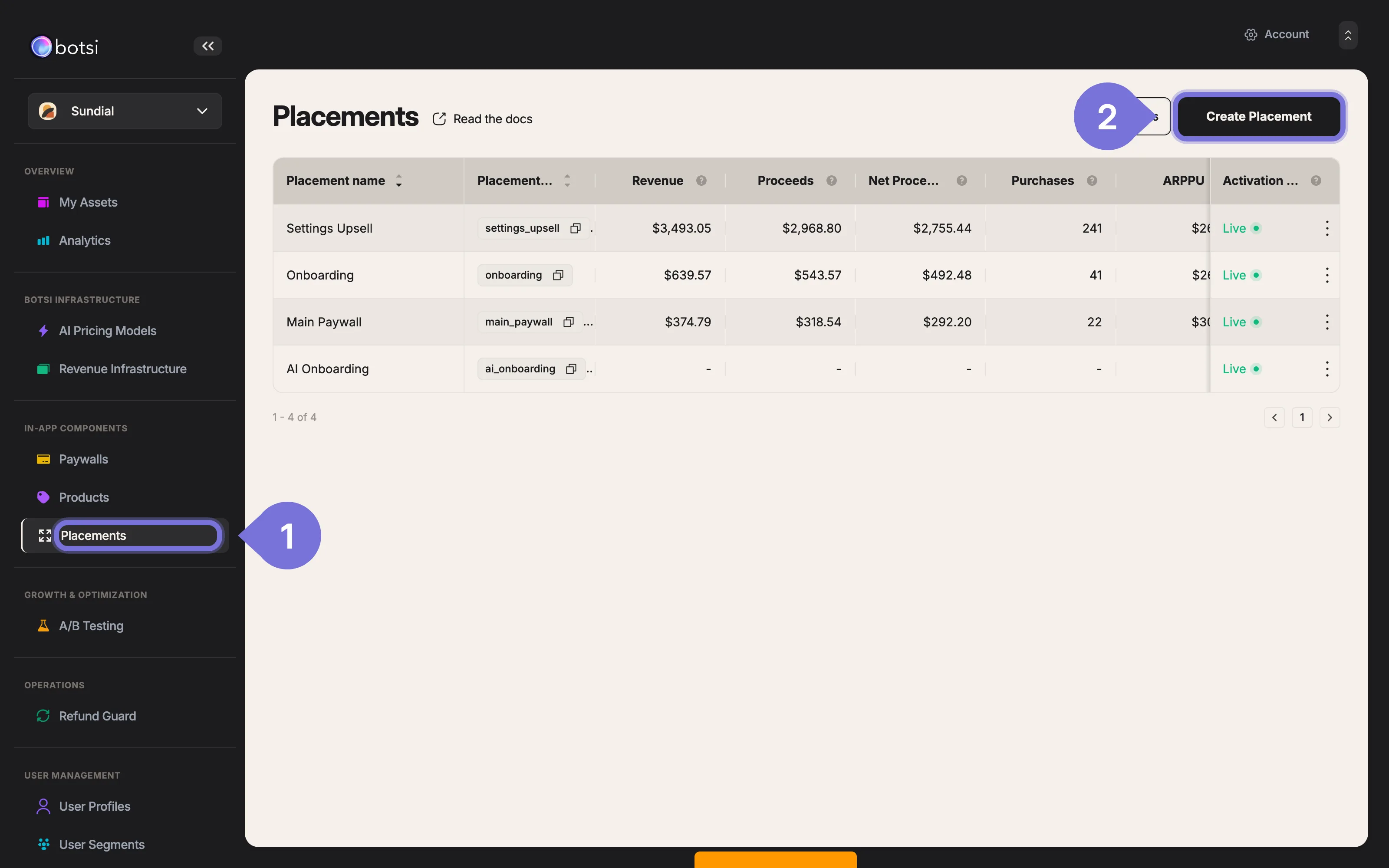
Go to the Placements section in the left sidebar.
-
Click Create Placement in the upper-left corner.
-
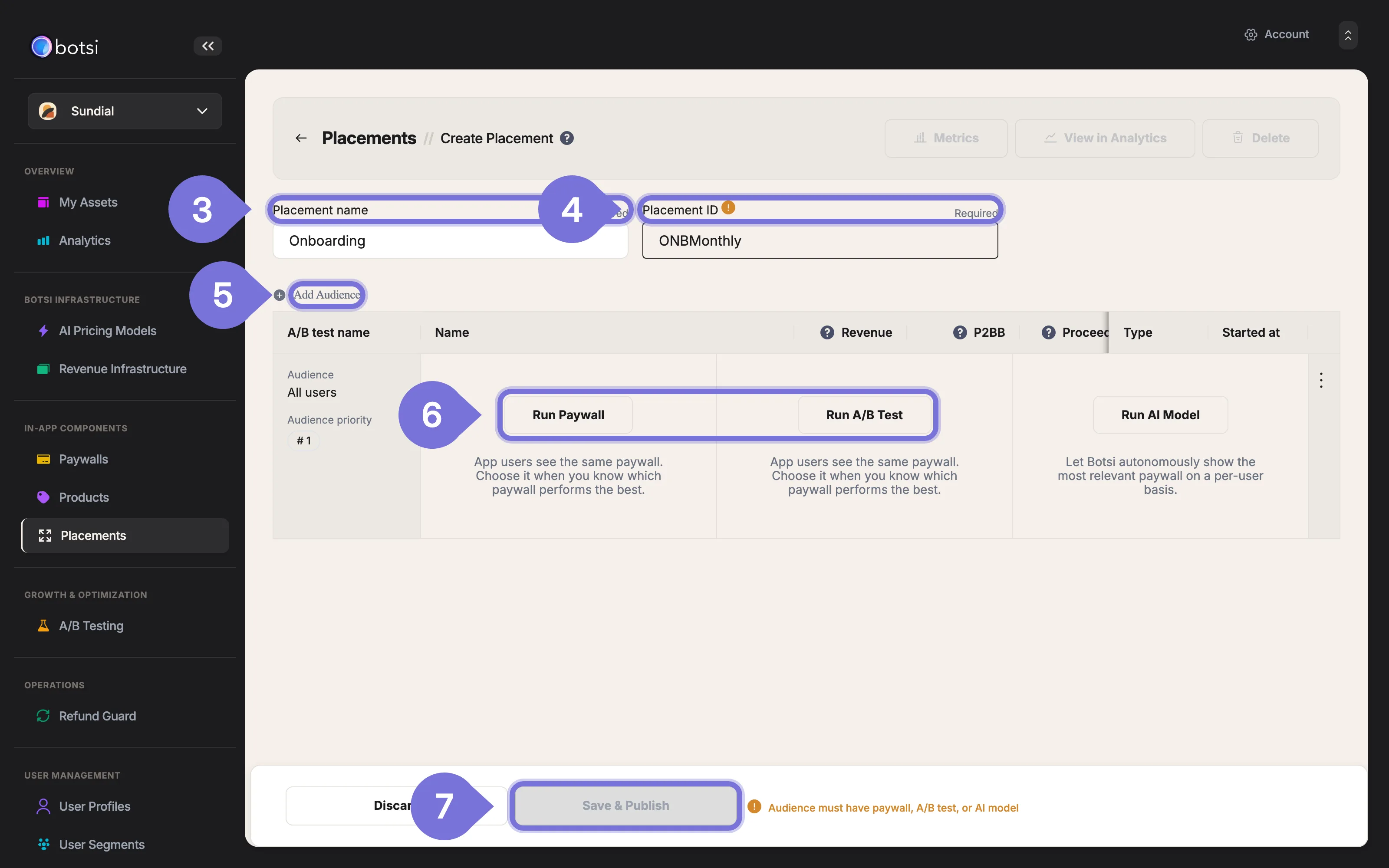
Enter a name in the Placement Name field. This is used for internal identification.
-
Add a unique Placement ID to track performance and link to analytics.
-
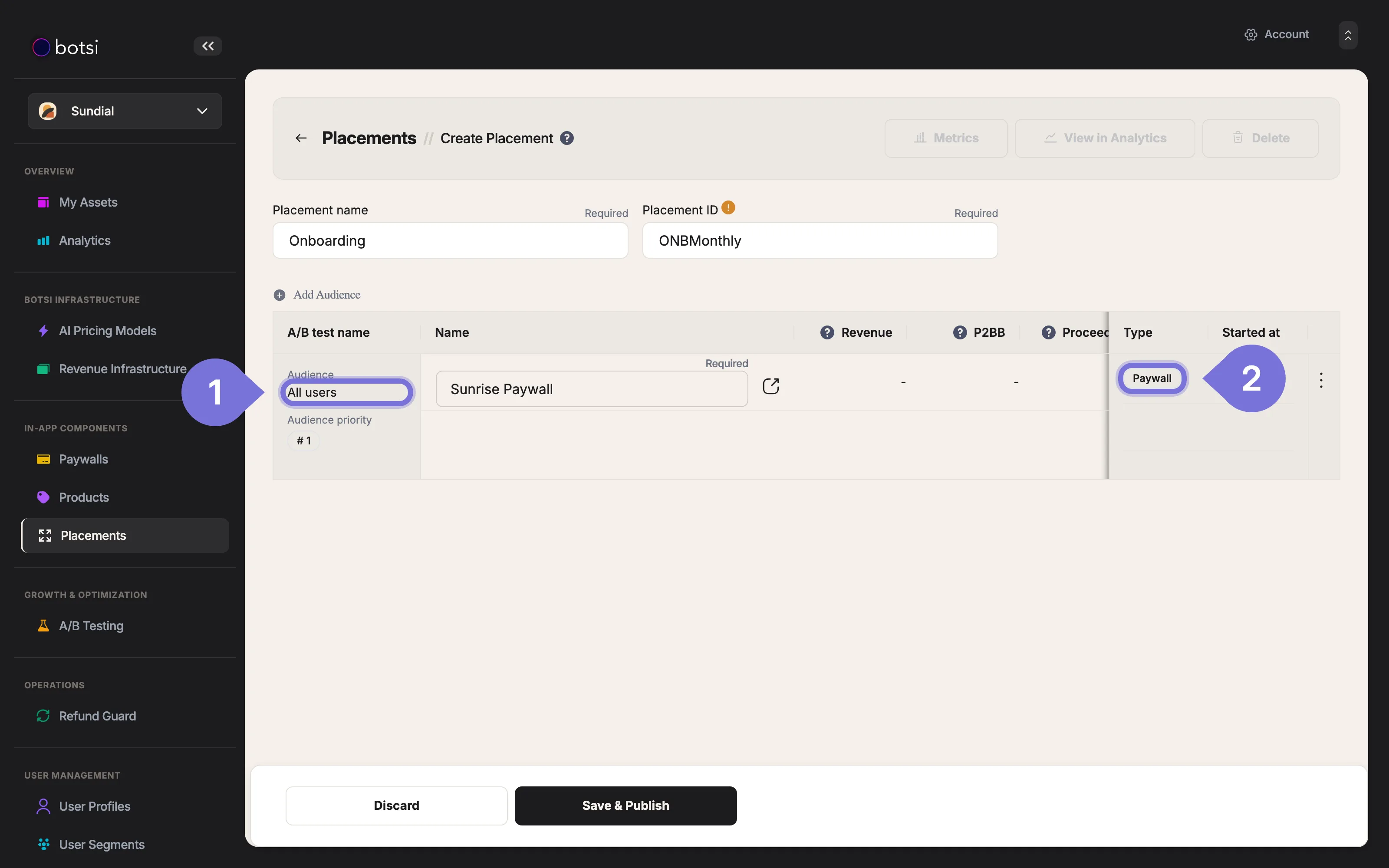
Select the Audience. (By default, the audience is set to All users.)
-
Choose how the audience is served: Run Paywall, Run A/B Test, or Run AI Model.
- Use Run Paywall when you already know which paywall performs best.
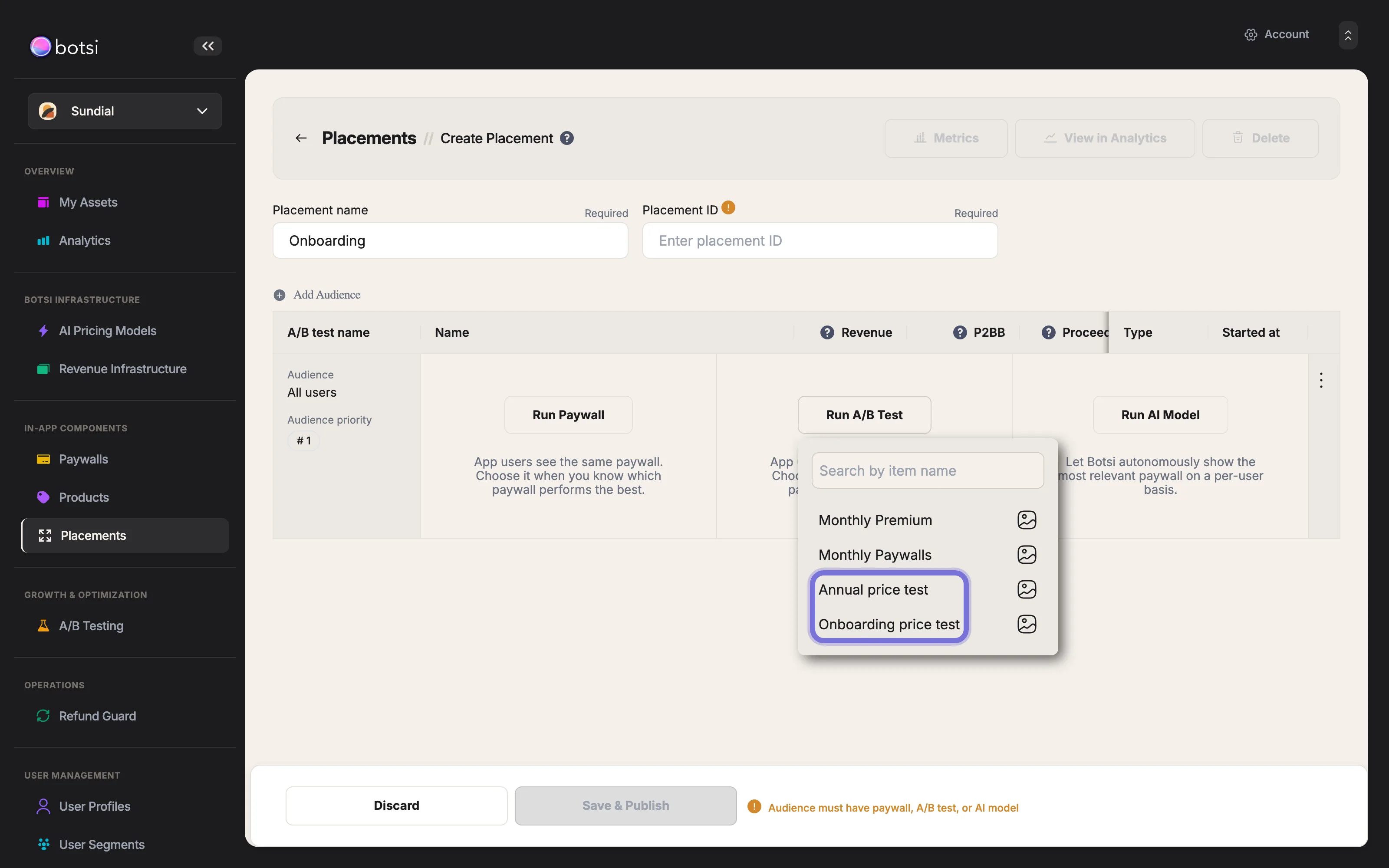
- Use Run A/B Test to compare variants and let the system find the highest-performing option. At least one A/B test must be created beforehand (see the A/B Testing guide).
- Use Run AI Model to let Botsi show the most relevant paywall per user. The model must be created beforehand (see the AI Pricing Integration Guide).
- Once everything is configured, you will be able to click Save & Publish to apply your changes.
Run a Paywall or an A/B Test
When you choose Run Paywall, select a paywall from the picker. It is assigned to the audience and shown to everyone who matches it.
When you choose Run A/B Test, select an existing A/B test from the picker. The placement then splits traffic between that test's paywall variants. If you have not created a test yet, set one up first in the A/B Testing section, then return here to assign it.
Related Articles
For more information, consult the following pages: