
← All flows
Nutrition

Kompanion onboarding flow

48 screens · Screen Recording · recorded Oct 2026
NutritionFreemiumpaywall: post onboarding quizquiz drivengoal settingtutorial demofeature listtestimonial heavydiscount countdown timerpricing anchor strikethrough

Kompanion pricing and paywall terms

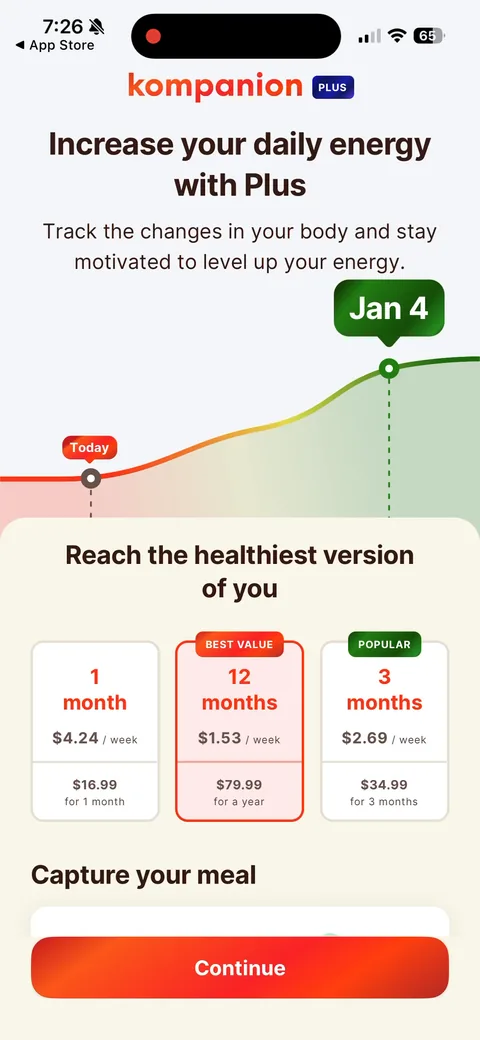
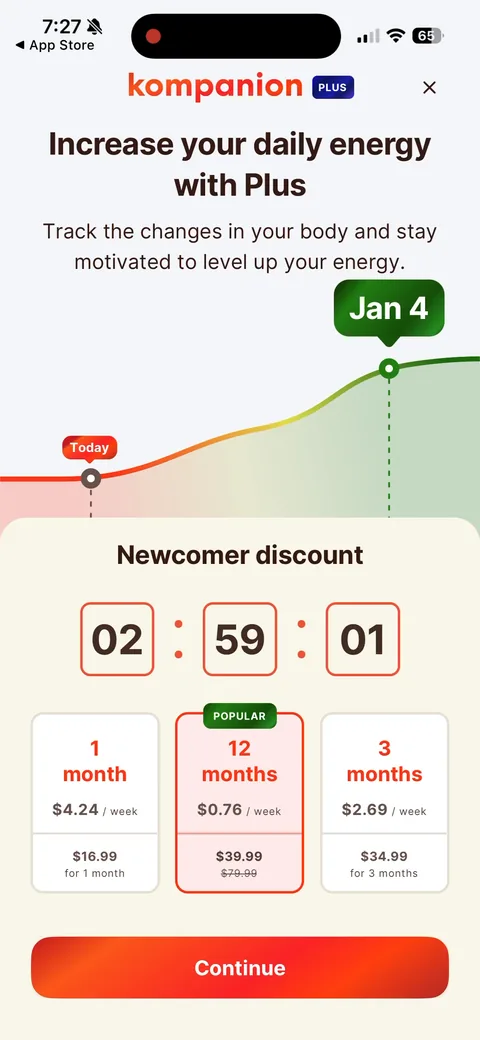
12 months $79.99 (Best value, preselected) vs 3 months $34.99 vs 1 month $16.99, shown per week, no trial. Exit offer: 50% off first year ($39.99) with a 3-hour countdown.

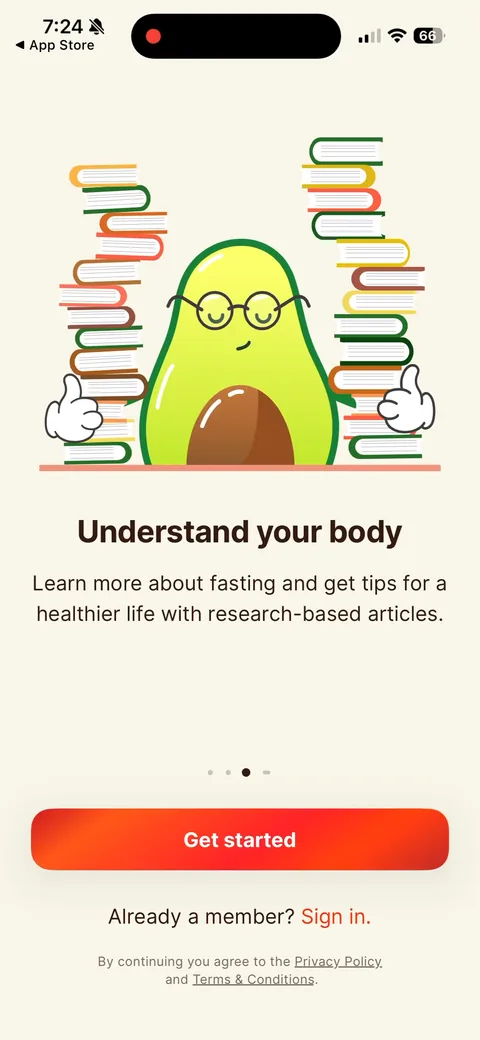
Kompanion onboarding screen 1: 'Understand your body' with an avocado mascot surrounded by books1
'Understand your body' with an avocado mascot surrounded by books. It opens on education ('research-based articles') instead of weight loss, which is a softer hook for a fasting app. The weight-loss promise shows up a few screens later.
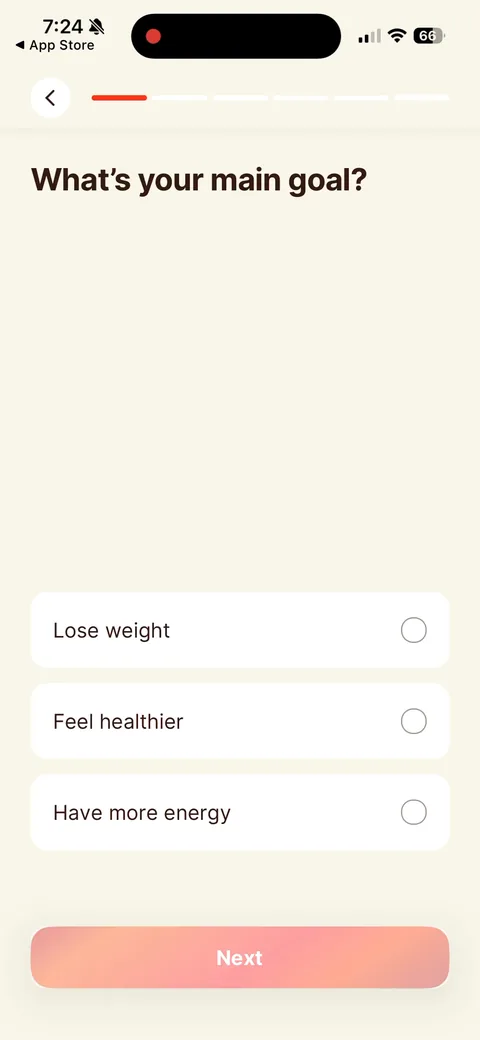
Kompanion onboarding screen 2: Single-select goal, three options2
Single-select goal, three options. Short and fast. Worth checking if this answer actually drives anything downstream: the plan and paywall both lead with energy ('increase your daily energy up to 40%').
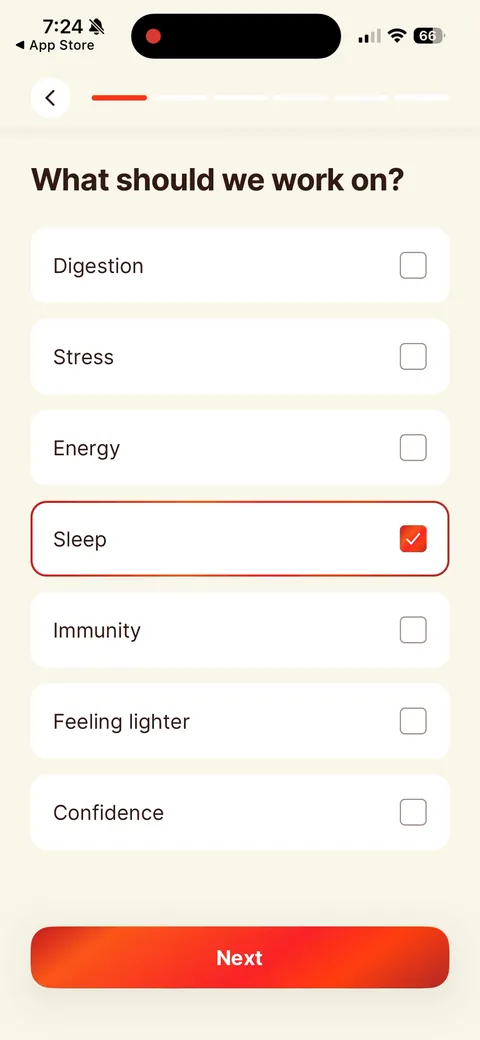
Kompanion onboarding screen 3: 'What should we work on?' is multi-select, while the goal screen before it was single-select3
'What should we work on?' is multi-select, while the goal screen before it was single-select. Right call. People want help with sleep and stress and digestion at the same time.
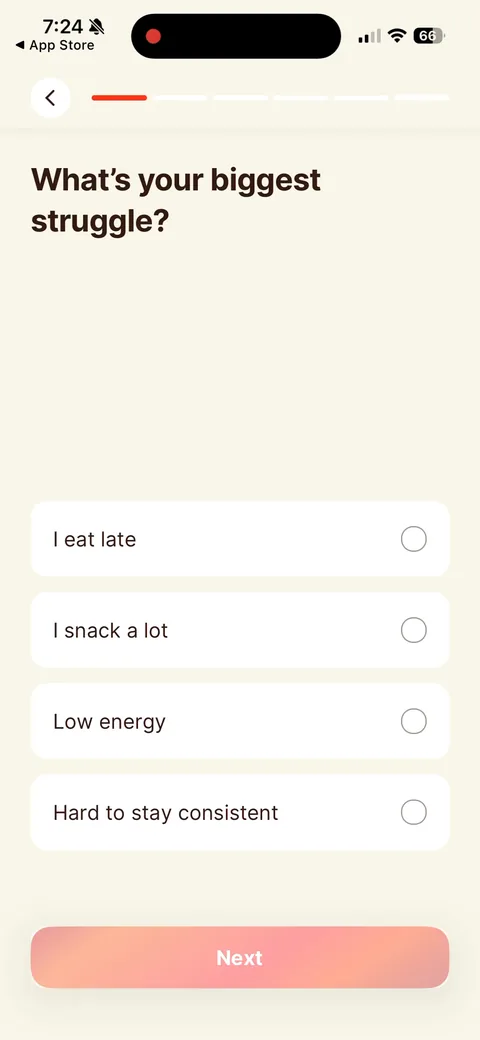
Kompanion onboarding screen 4: 'What's your biggest struggle?' in the user's own words ('I snack a lot', 'Hard to stay consistent')4
'What's your biggest struggle?' in the user's own words ('I snack a lot', 'Hard to stay consistent'). Good zero-party data for an AI coach to echo back later.
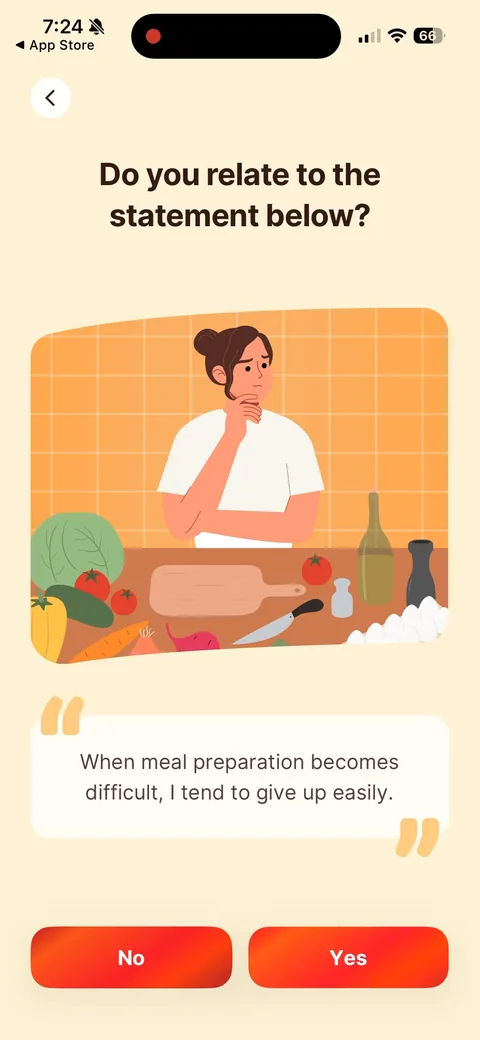
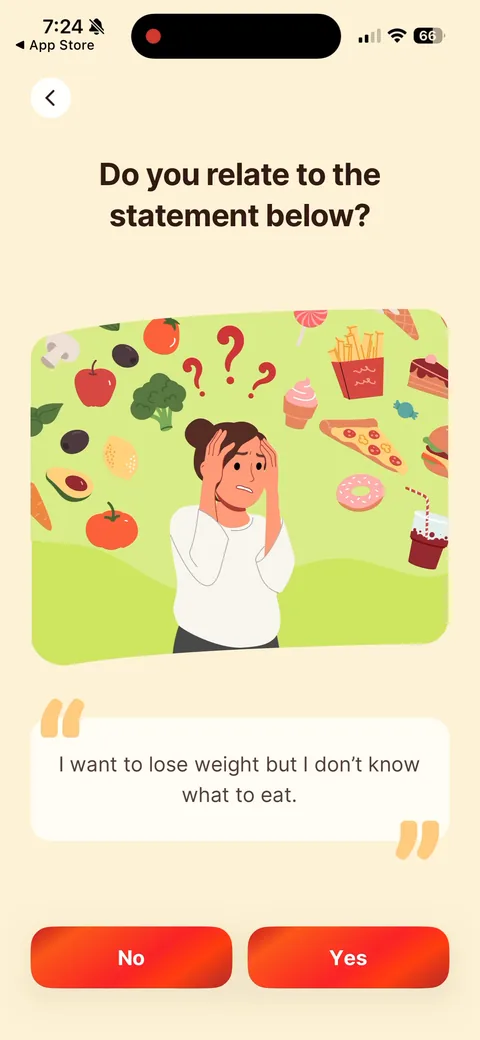
Kompanion onboarding screen 5: 'Do you relate to the statement below?' with a mirror illustration and Yes/No5
'Do you relate to the statement below?' with a mirror illustration and Yes/No. The statement-agreement pattern Noom made popular. Getting people to admit the pain themselves is more persuasive than the app telling them.
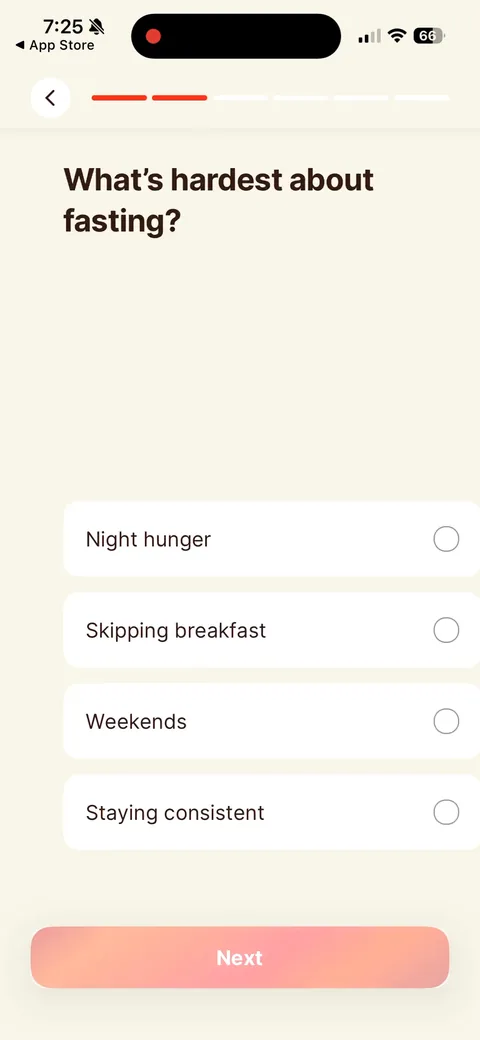
Kompanion onboarding screen 66
Kompanion onboarding screen 77
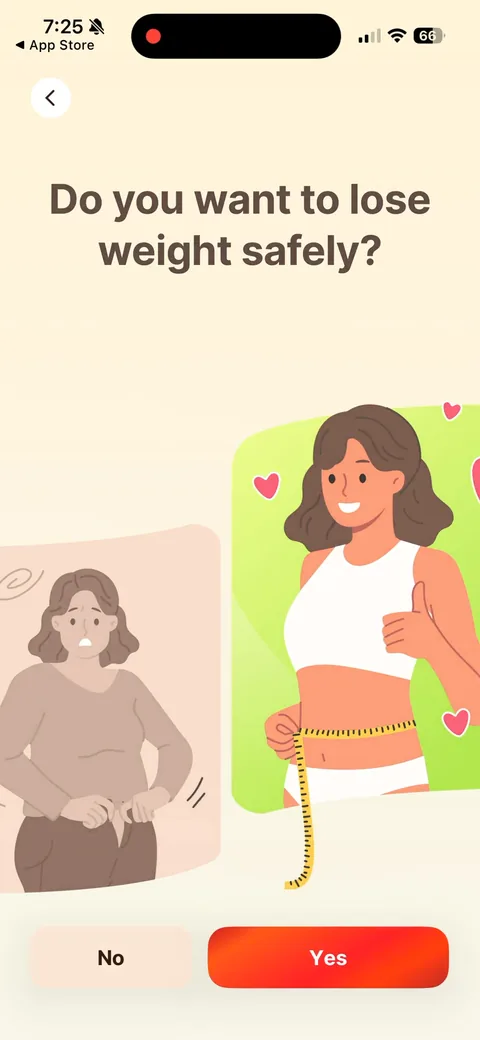
Kompanion onboarding screen 8: 'Do you want to lose weight safely?' There's only one real answer8
'Do you want to lose weight safely?' There's only one real answer. A leading question that works as a micro-commitment: once you've said yes to 'safely', a 'sustainable' plan is the obvious next step.
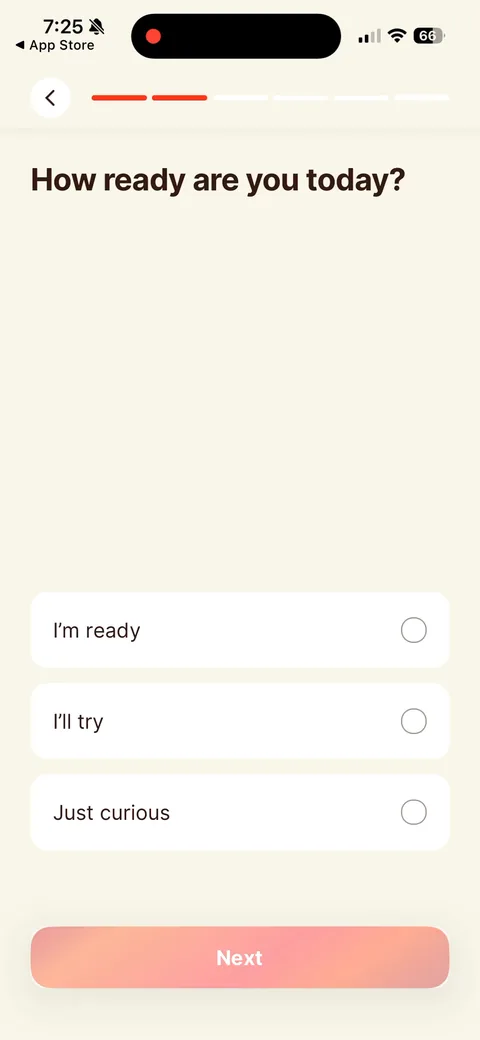
Kompanion onboarding screen 9: 'How ready are you today?' with 'Just curious' as an option9
'How ready are you today?' with 'Just curious' as an option. Useful segmentation. The curious ones are exactly who a softer offer or the exit discount should target.
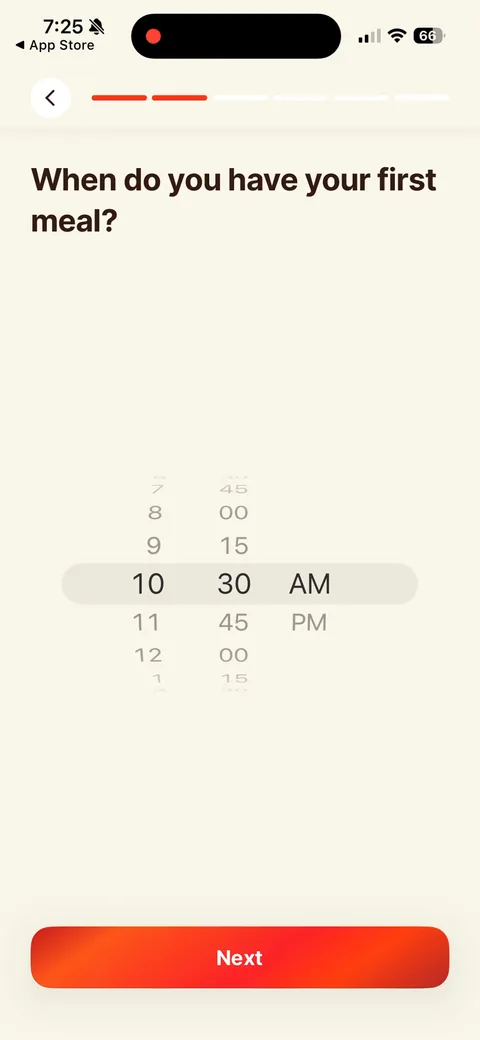
Kompanion onboarding screen 10: Time picker for your first meal10
Time picker for your first meal. This is the input that actually shapes a fasting window, so it earns its spot in the quiz.
100% free
38 more screens

See the rest of this flow.

You are 10 screens into Kompanion. Enter your email to unlock the remaining 38, plus every other teardown in the library.
100% free, just your email.
Kompanion onboarding screen 1111
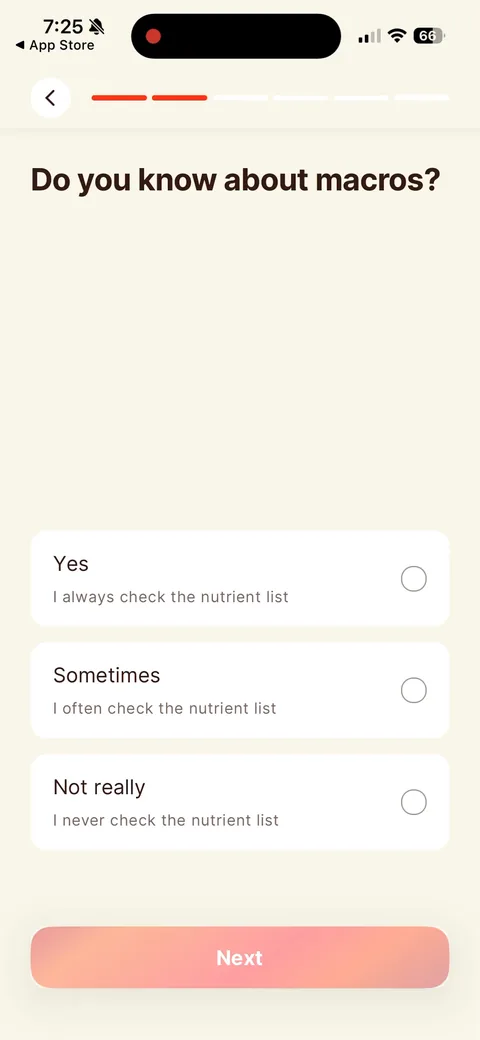
Kompanion onboarding screen 12: 'Do you know about macros?' is mostly setup for the meal-scan demo two screens later12
'Do you know about macros?' is mostly setup for the meal-scan demo two screens later. Ask what they don't know, then show the tool that solves it.
Kompanion onboarding screen 1414
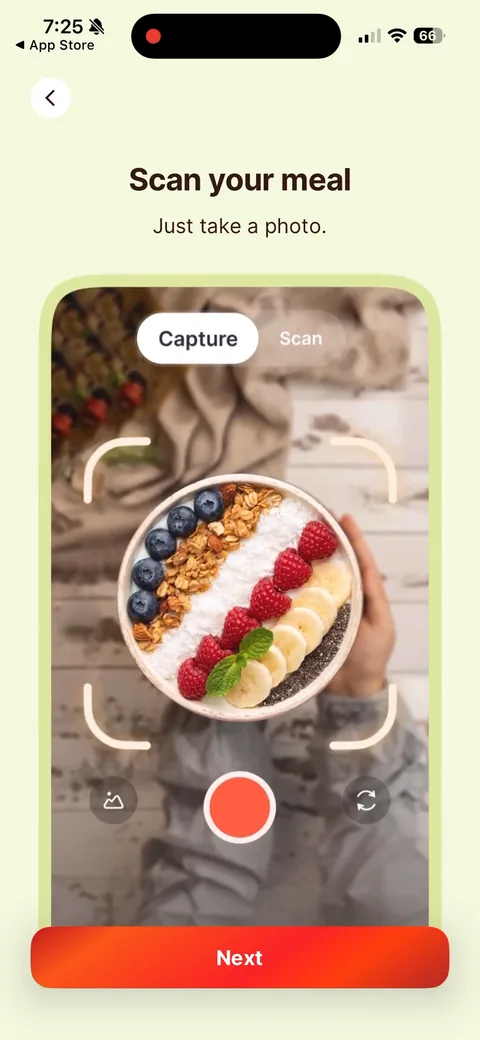
Kompanion onboarding screen 16: 'Scan your meal16
'Scan your meal. Just take a photo.' A feature demo mid-quiz. It breaks up the questions and builds value for the AI calorie scanner, which comes back as the 'Capture your meal' card on the paywall.
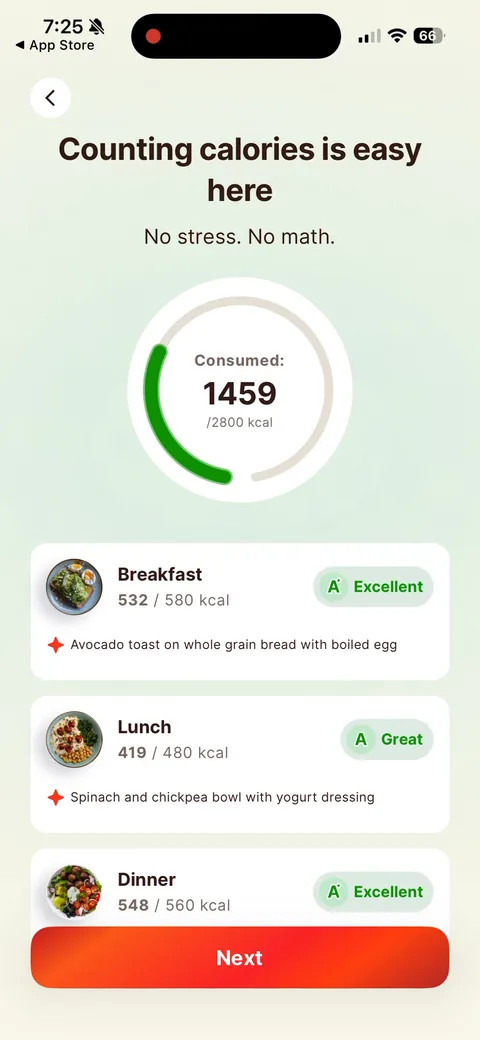
Kompanion onboarding screen 17: 'Counting calories is easy here17
'Counting calories is easy here. No stress. No math.' A filled-in day with grades ('Excellent', 'Great') shows the end state instead of explaining it.
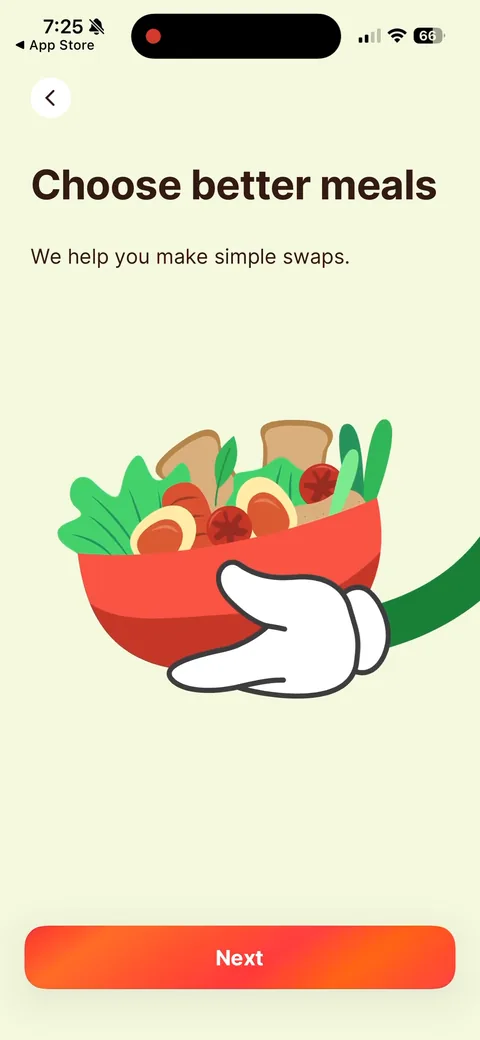
Kompanion onboarding screen 19: 'Choose better meals19
'Choose better meals. We help you make simple swaps.' A thin explainer. Three feature screens in a row (scan, count, swap) is a lot. I'd test folding them into one.
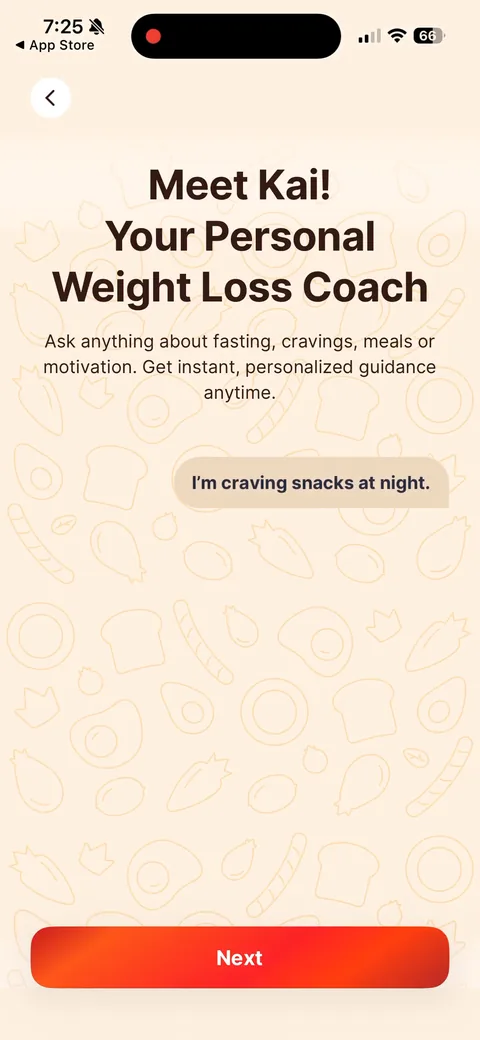
Kompanion onboarding screen 20: 'Meet Kai20
'Meet Kai! Your Personal Weight Loss Coach' with a sample message, 'I'm craving snacks at night.' Naming the AI coach makes it feel like a person. The sample lines up with the struggle options from earlier ('I snack a lot', 'Night hunger'), so it reads as relevant.
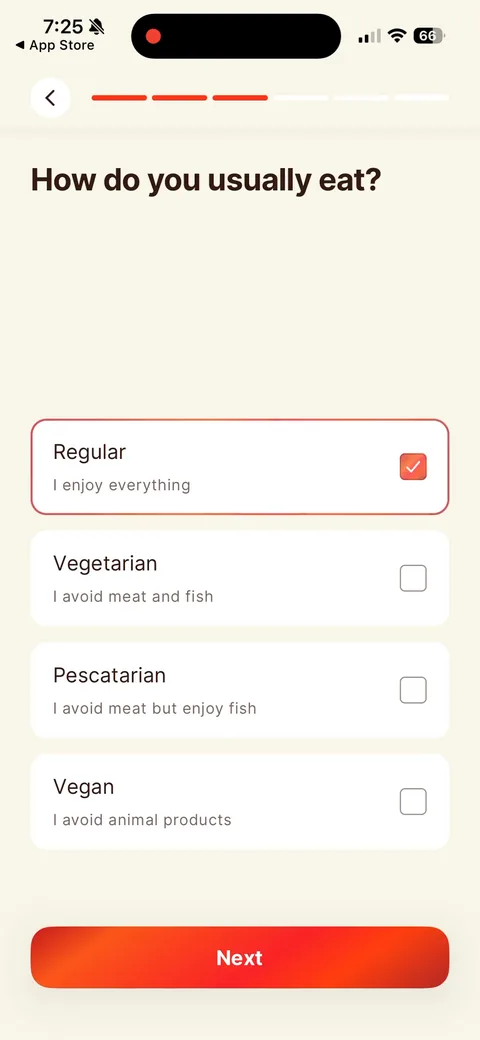
Kompanion onboarding screen 21: Diet type with a one-line explainer under each option ('I avoid meat but enjoy fish')21
Diet type with a one-line explainer under each option ('I avoid meat but enjoy fish'). Small touch that removes the 'wait, am I pescatarian?' hesitation.
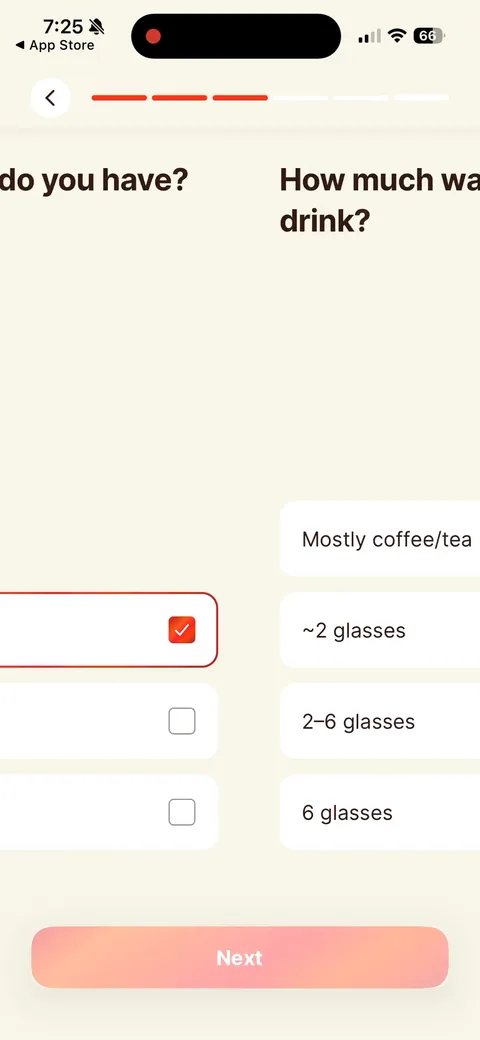
Kompanion onboarding screen 2222
Kompanion onboarding screen 2323
Kompanion onboarding screen 2424
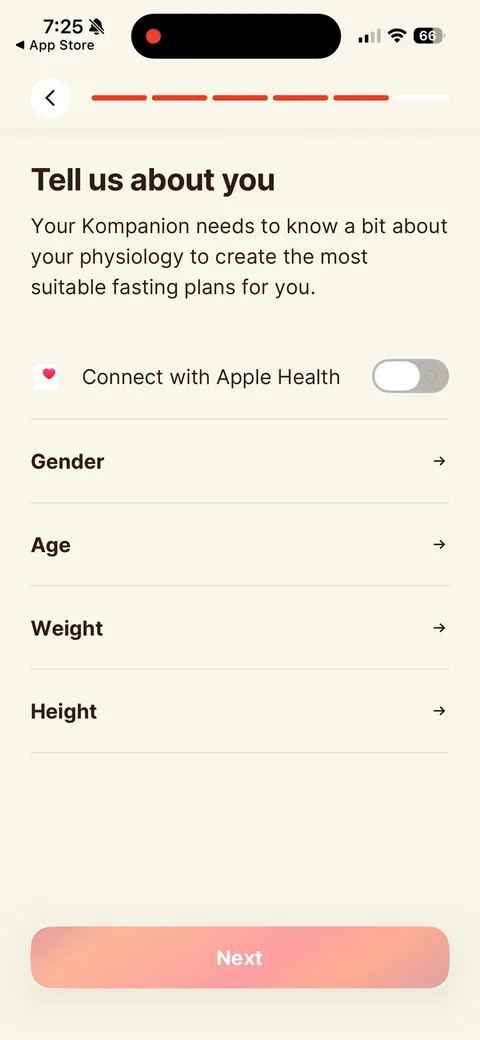
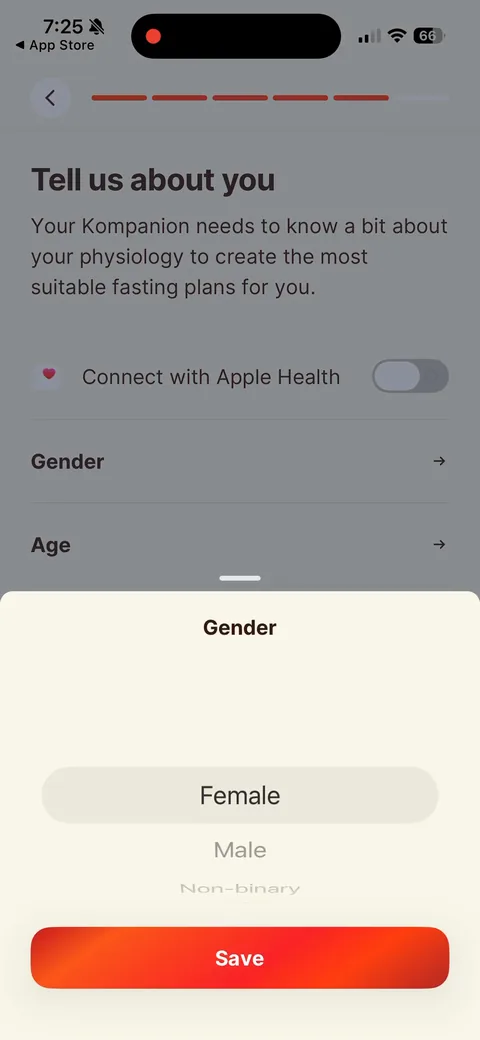
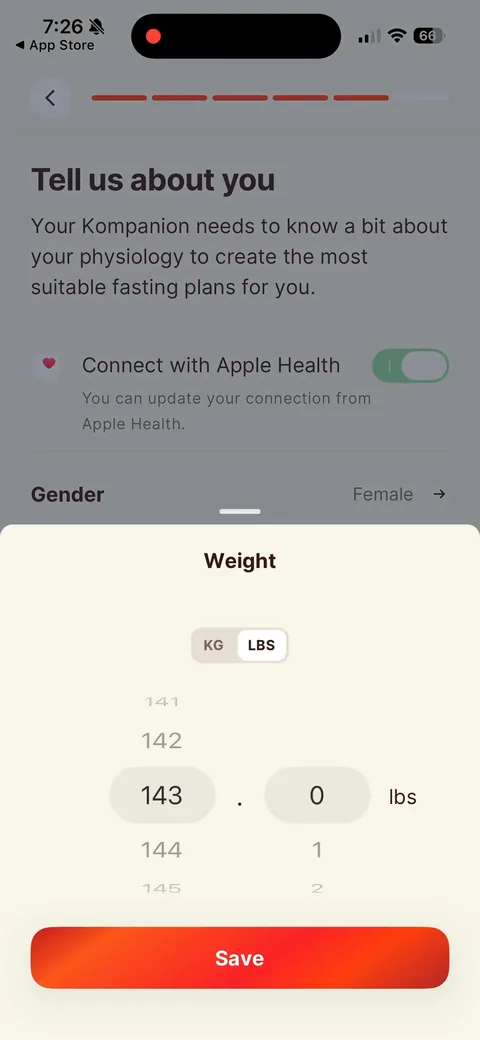
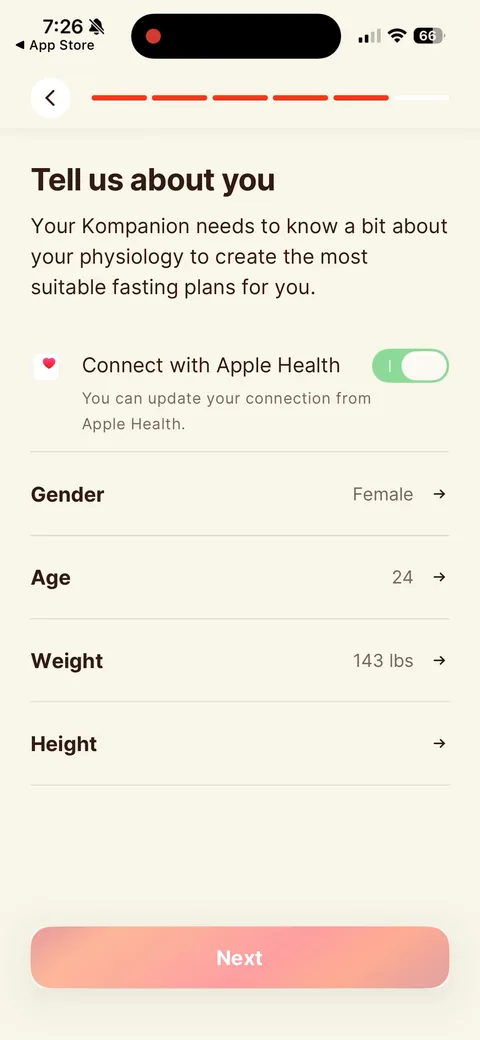
Kompanion onboarding screen 25: 'Your Kompanion needs to know a bit about your physiology to create the most suitable fasting plans for you.'…25
'Your Kompanion needs to know a bit about your physiology to create the most suitable fasting plans for you.' Framing the gender/age/weight/height ask as something the plan needs. Connect with Apple Health is an optional toggle on top, so it's a shortcut, not a gate.
Kompanion onboarding screen 2626
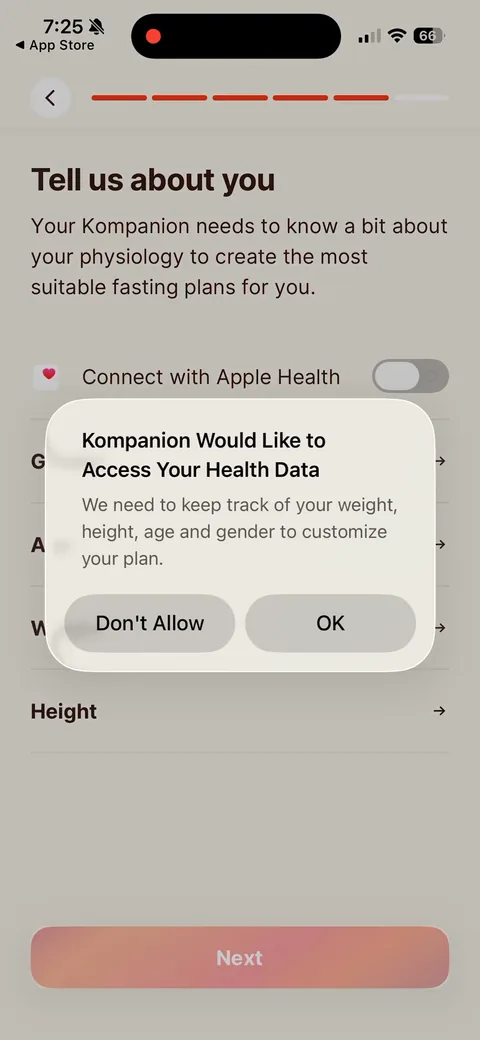
Kompanion onboarding screen 27: Custom pre-prompt before the Apple Health sheet: 'We need to keep track of your weight, height, age and…27
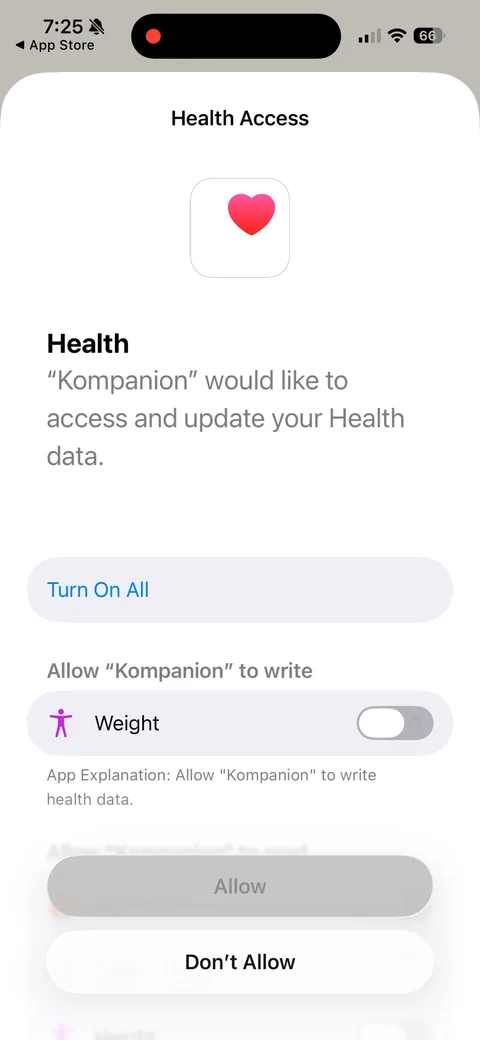
Custom pre-prompt before the Apple Health sheet: 'We need to keep track of your weight, height, age and gender to customize your plan.' Pre-permission priming. If you tap Don't Allow here, the real iOS sheet never burns its one shot.
Kompanion onboarding screen 2828
Kompanion onboarding screen 2929
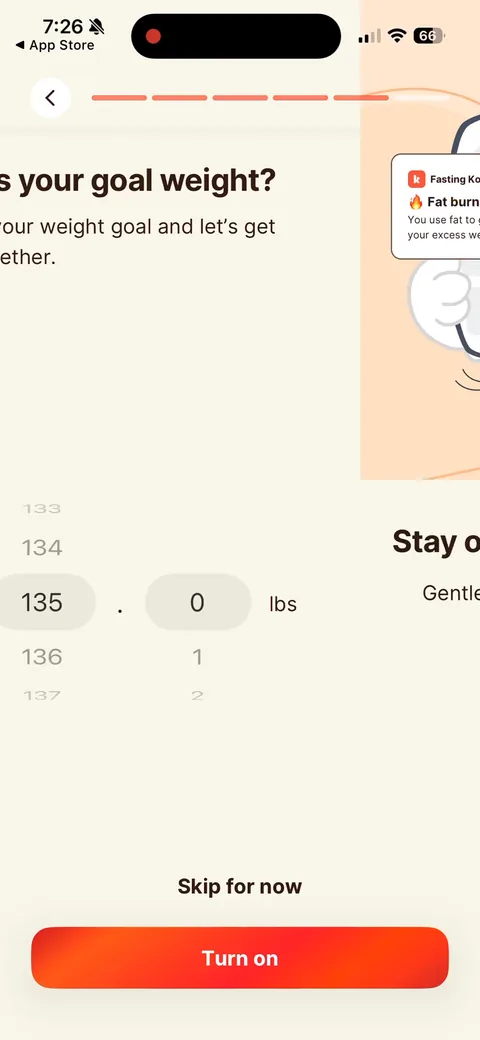
Kompanion onboarding screen 3030
Kompanion onboarding screen 3131
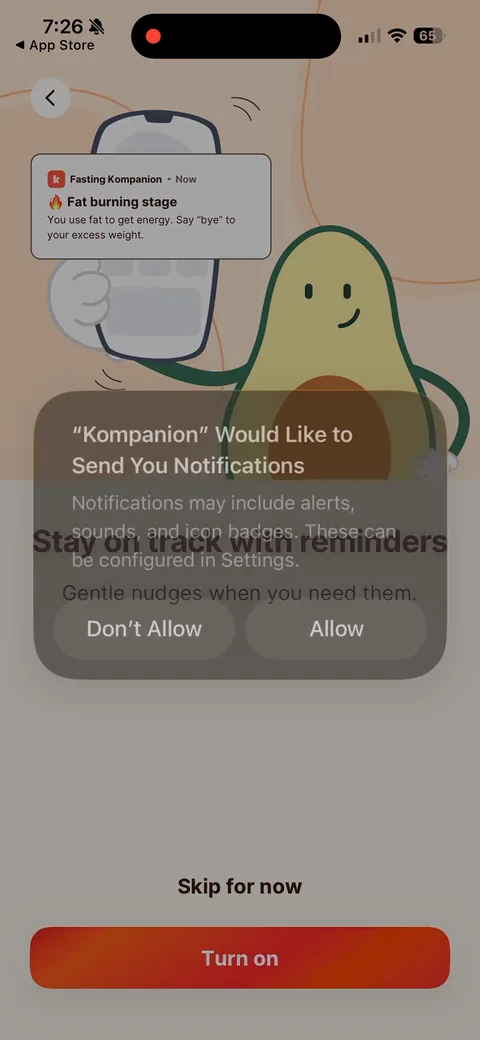
Kompanion onboarding screen 32: Notification ask right after goal weight, with a sample push in the background ('Fat burning stage32
Notification ask right after goal weight, with a sample push in the background ('Fat burning stage. You use fat to get energy') and 'Stay on track with reminders. Gentle nudges when you need them.' Showing the notification you'll actually get beats a generic 'turn on notifications'. 'Skip for now' keeps it low pressure.
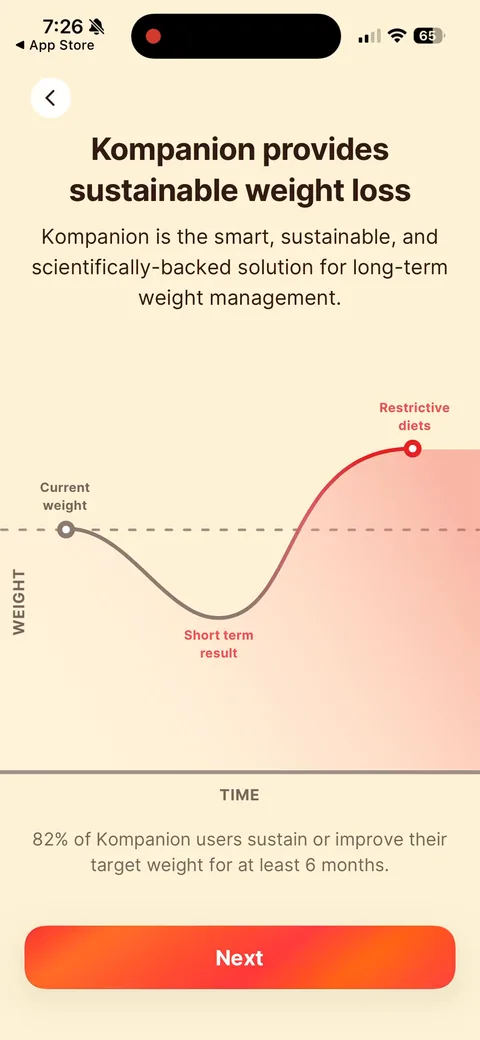
Kompanion onboarding screen 34: 'Kompanion provides sustainable weight loss.' The classic chart: restrictive diets bounce back, their curve…34
'Kompanion provides sustainable weight loss.' The classic chart: restrictive diets bounce back, their curve doesn't. Plus '82% of Kompanion users sustain or improve their target weight for at least 6 months.' A specific stat beats 'thousands of happy users'.
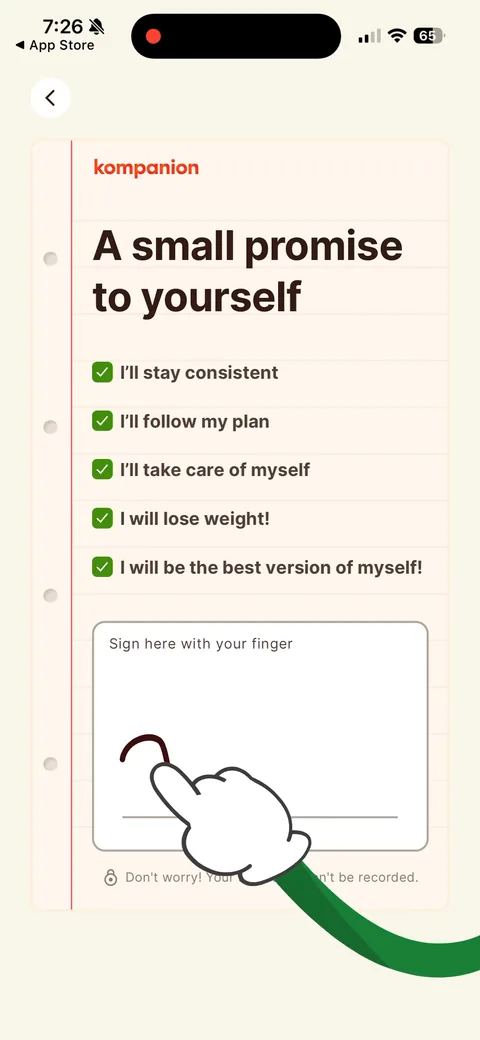
Kompanion onboarding screen 35: 'A small promise to yourself' with pre-checked pledges ('I'll stay consistent', 'I will lose weight!') and…35
'A small promise to yourself' with pre-checked pledges ('I'll stay consistent', 'I will lose weight!') and 'Sign here with your finger.' The signature commitment Noom and BetterMe use. A physical micro-commitment right before the loading screen and paywall. 'Your signature won't be recorded' handles the creep factor.
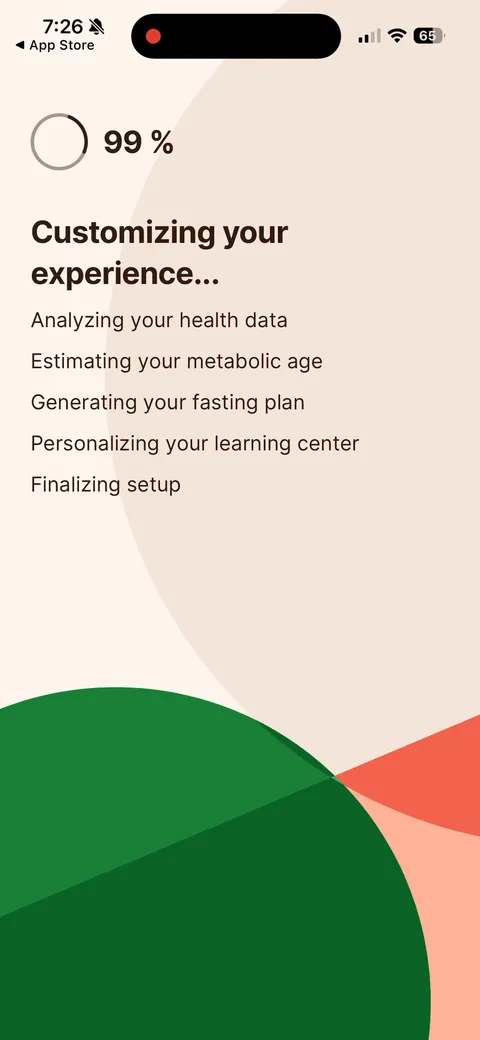
Kompanion onboarding screen 41: Loading screen that ticks off steps: 'Analyzing your health data', 'Estimating your metabolic age'…41
Loading screen that ticks off steps: 'Analyzing your health data', 'Estimating your metabolic age', 'Generating your fasting plan'. Shows the work they're doing for you. 'Metabolic age' is a good curiosity hook, but if you tease a number you should show it on the result.
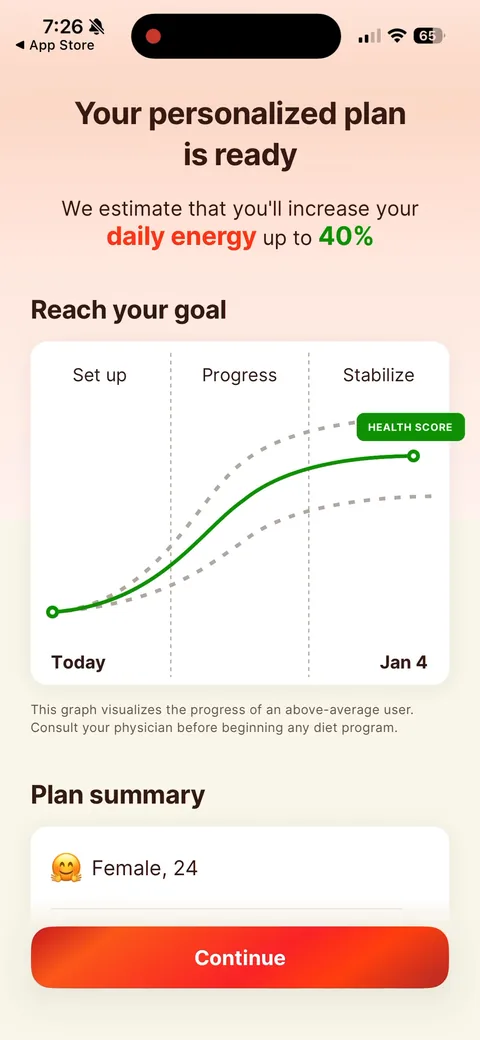
Kompanion onboarding screen 42: 'Your personalized plan is ready42
'Your personalized plan is ready. We estimate that you'll increase your daily energy up to 40%.' A curve from Today to a goal date ('Jan 4') with a plan summary. The date-on-a-curve projection is standard now, and the same Jan 4 curve carries straight into the paywall header.
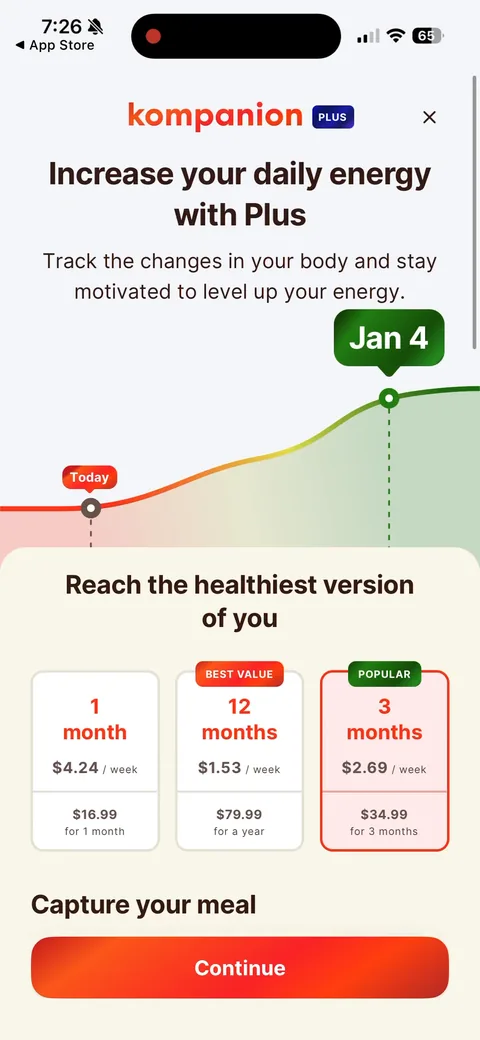
Kompanion paywall with pricing, onboarding screen 4343
Paywall right after the plan, reusing the Jan 4 curve. Three plans priced per week: 1 month $4.24/wk ($16.99), 12 months $1.53/wk ($79.99, 'Best value', preselected), 3 months $2.69/wk ($34.99, 'Popular'). No trial anywhere. The monthly is the anchor that makes the annual look cheap. No close button on first load.
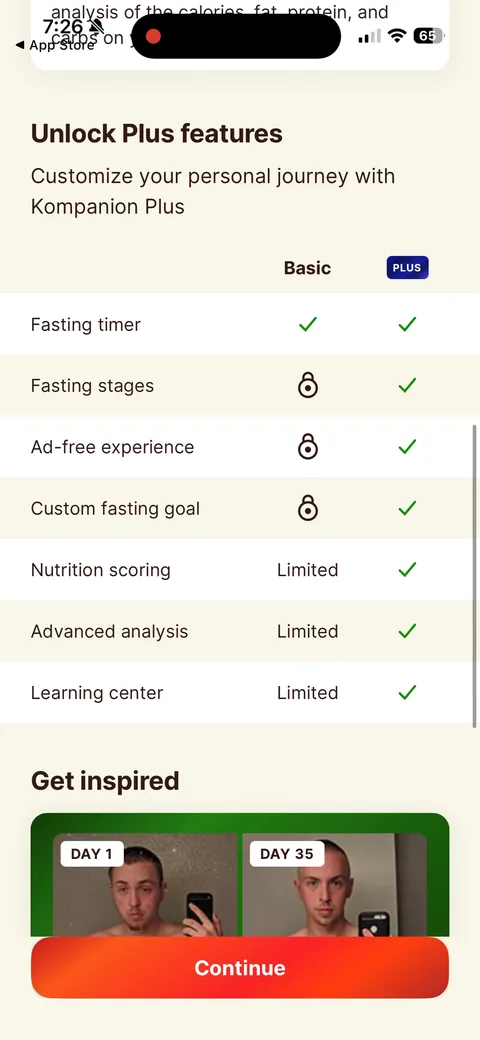
Kompanion onboarding screen 47: Basic vs Plus table47
Basic vs Plus table. Free keeps the fasting timer. Fasting stages, ad-free and custom goals are locked, and nutrition scoring and the learning center are 'Limited'. Listing 'Ad-free experience' tells you the free tier runs ads (it does, there's a banner ad on the home screen).
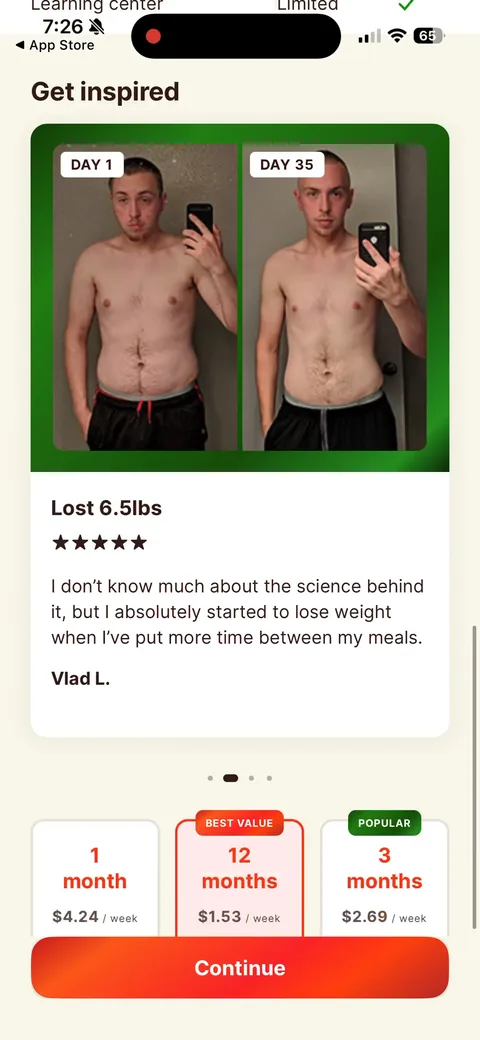
Kompanion onboarding screen 48: 'Get inspired' with Day 1 vs Day 35 photos, 'Lost 6.5lbs' and a short quote48
'Get inspired' with Day 1 vs Day 35 photos, 'Lost 6.5lbs' and a short quote. Before/after photos are the most concrete proof a weight-loss app has, and the plan picker stays right under them.
Kompanion onboarding screen 62: Now the X shows up top right62
Now the X shows up top right. It wasn't there on first load. A delayed close keeps you on the offer a few seconds longer.
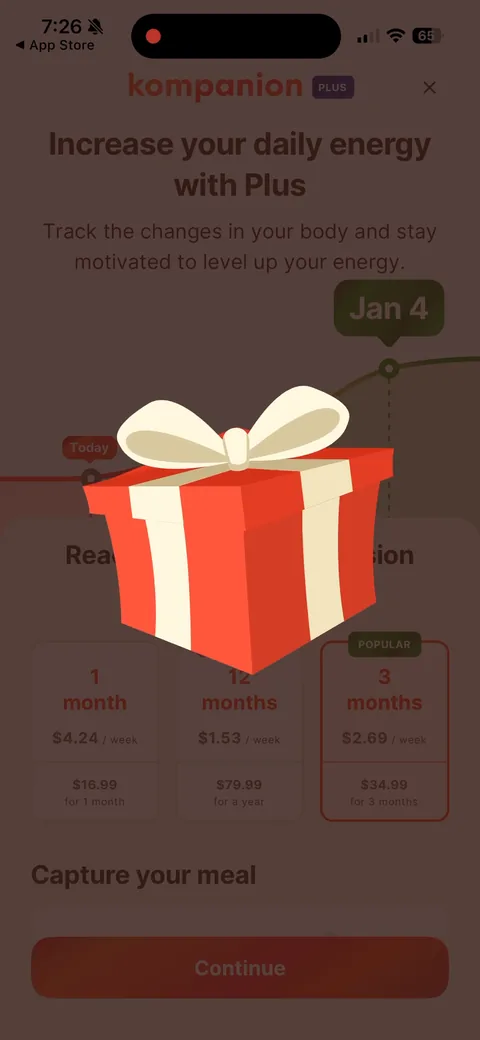
Kompanion onboarding screen 63: Hit the X and a gift box drops in over the paywall63
Hit the X and a gift box drops in over the paywall. Sets up the exit offer as a present instead of a price cut.
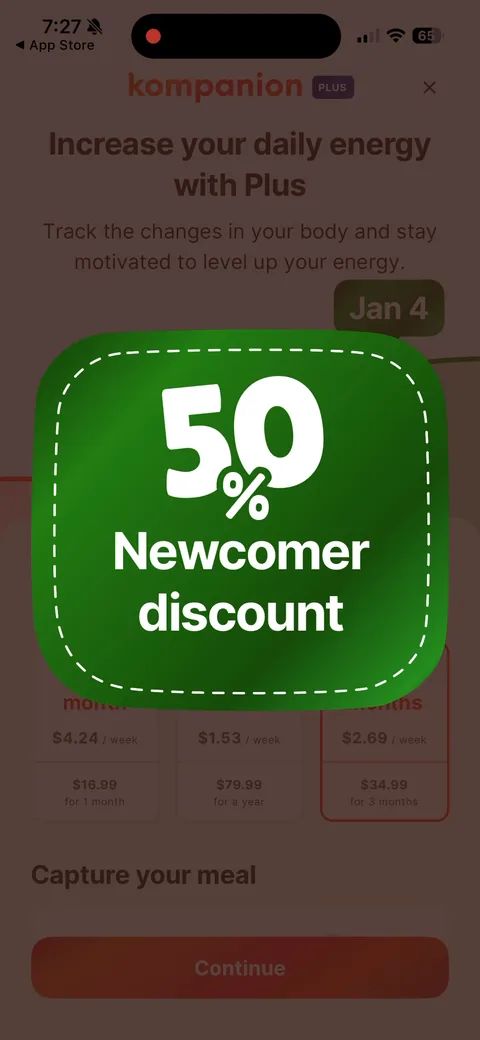
Kompanion onboarding screen 65: '50% Newcomer discount.' The exit-intent offer framed as a welcome gift65
'50% Newcomer discount.' The exit-intent offer framed as a welcome gift. Most people don't buy on the first paywall, so a second ask picks some of them up.
Kompanion onboarding screen 66: Same paywall, now with a countdown (02:59:01) and the annual at $39.99 with $79.99 struck through, $0.76/wk66
Same paywall, now with a countdown (02:59:01) and the annual at $39.99 with $79.99 struck through, $0.76/wk. Only the annual is discounted, so the offer pushes everyone to the plan they wanted you on anyway. It's an intro price: Apple's sheet says $39.99 for the first year, then $79.99.
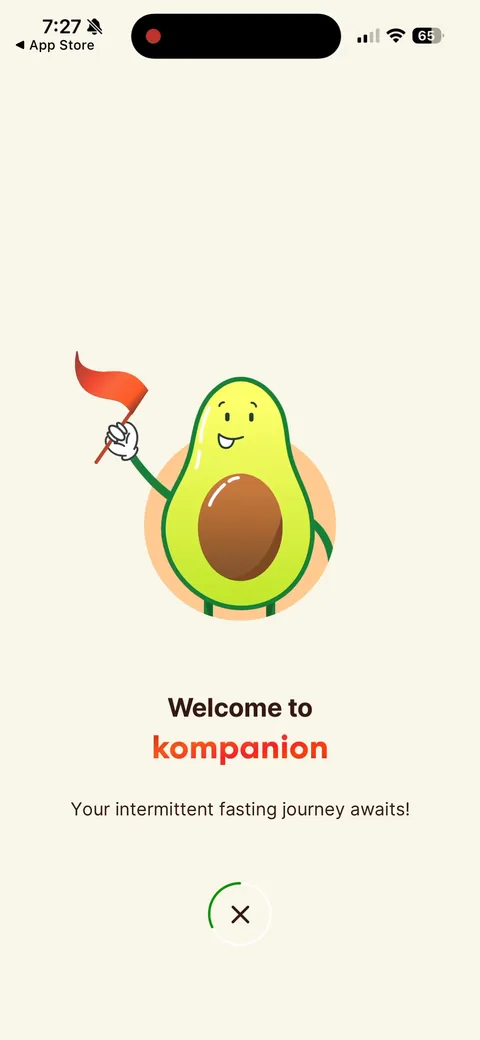
Kompanion onboarding screen 75: 'Welcome to Kompanion75
'Welcome to Kompanion. Your intermittent fasting journey awaits.' Splash after closing the discounted paywall. You're into the free tier with no account and no purchase.
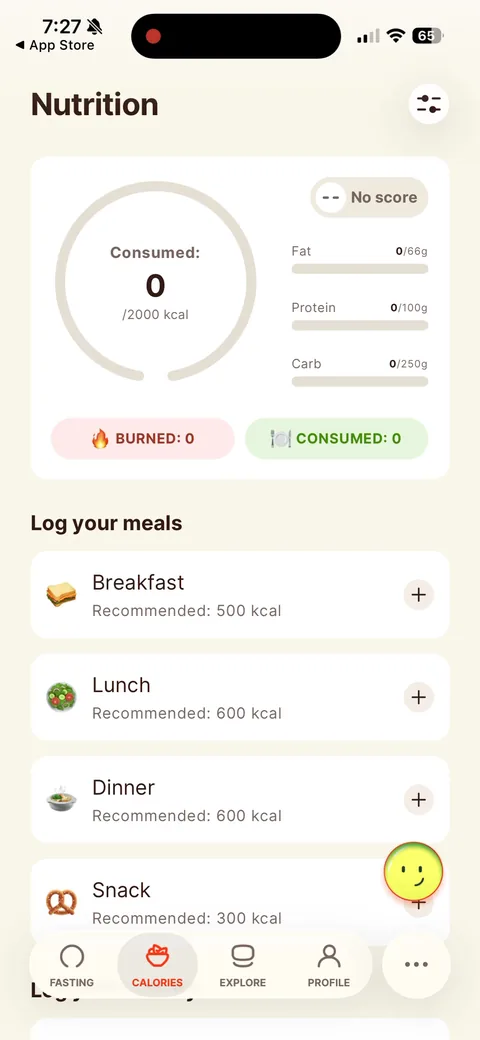
Kompanion onboarding screen 76: Lands on the Nutrition tab with everything at zero, and there's a banner ad under the tab bar76
Lands on the Nutrition tab with everything at zero, and there's a banner ad under the tab bar. For a fasting app I'd drop people on the timer with 'Start your 16h fast' ready to tap. That's the activation event.
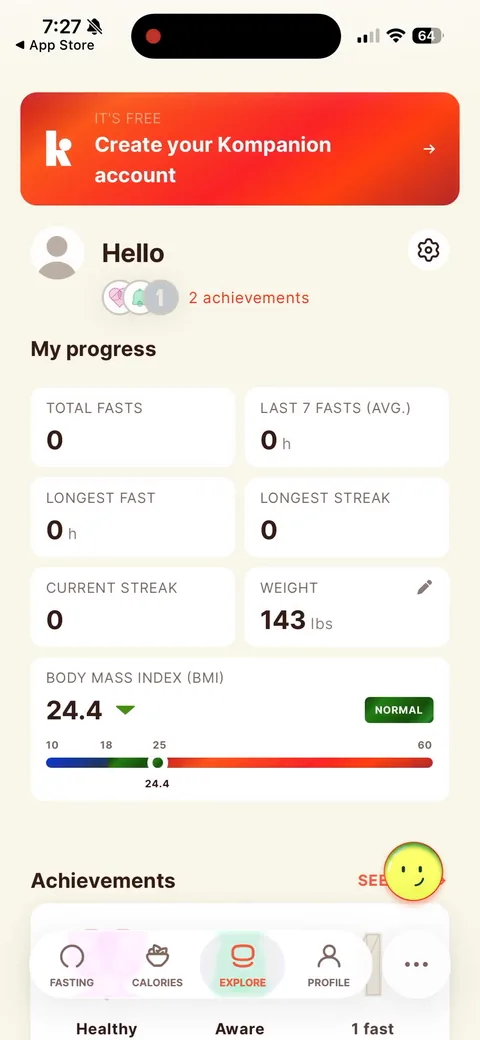
Kompanion onboarding screen 82: Account creation only shows up here, as a profile banner: 'It's free82
Account creation only shows up here, as a profile banner: 'It's free. Create your Kompanion account.' No signup in onboarding at all. Lower friction up front, but you never get an email from the people who bail at the paywall, and they're the ones a win-back email is for.
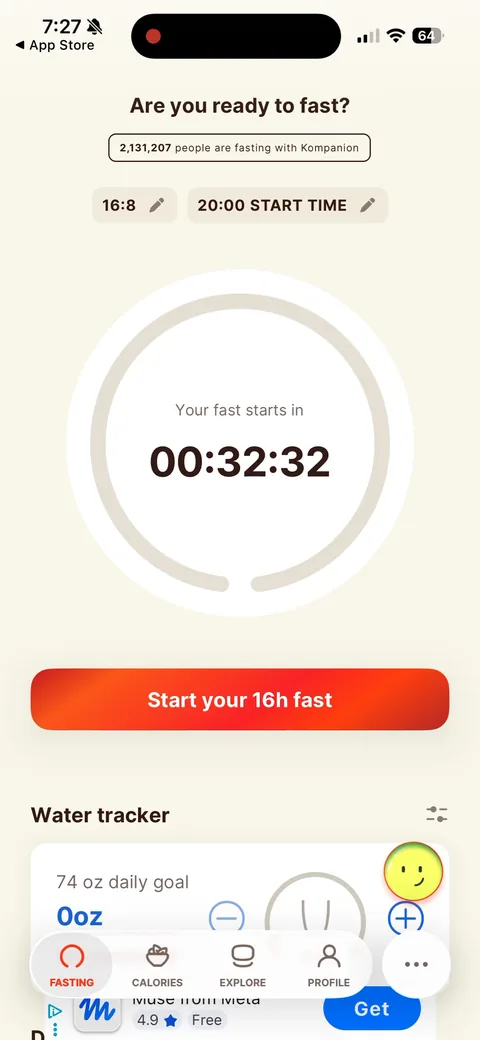
Kompanion onboarding screen 84: The fasting timer: 'Are you ready to fast?' with '2,131,207 people are fasting with Kompanion', a 16:8 plan…84
The fasting timer: 'Are you ready to fast?' with '2,131,207 people are fasting with Kompanion', a 16:8 plan and 20:00 start time prefilled, and a countdown. Social proof on the action screen is a nice touch. This is the screen I'd open on after the paywall.
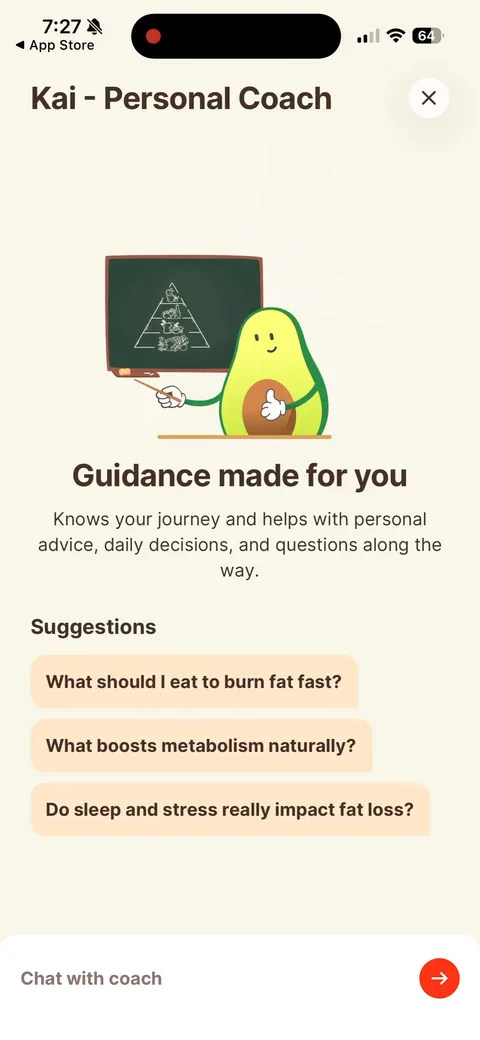
Kompanion onboarding screen 88: Kai, the AI coach, behind the floating smiley button88
Kai, the AI coach, behind the floating smiley button. Suggested questions ('What should I eat to burn fat fast?', 'What boosts metabolism naturally?') solve the blank-chat problem. The coach was pitched in onboarding, so I'd put a first chat in the first session instead of leaving it to be found.
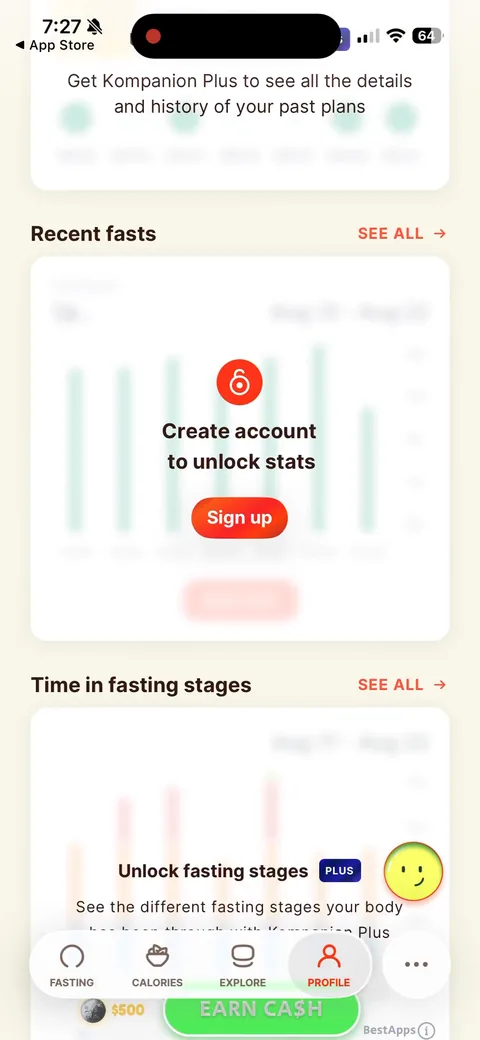
Kompanion onboarding screen 95: Profile stats blurred behind 'Create account to unlock stats' and 'Unlock fasting stages' with a Plus badge95
Profile stats blurred behind 'Create account to unlock stats' and 'Unlock fasting stages' with a Plus badge. Two different gates on one screen: account for some things, Plus for others. Blurred real UI is a decent teaser.
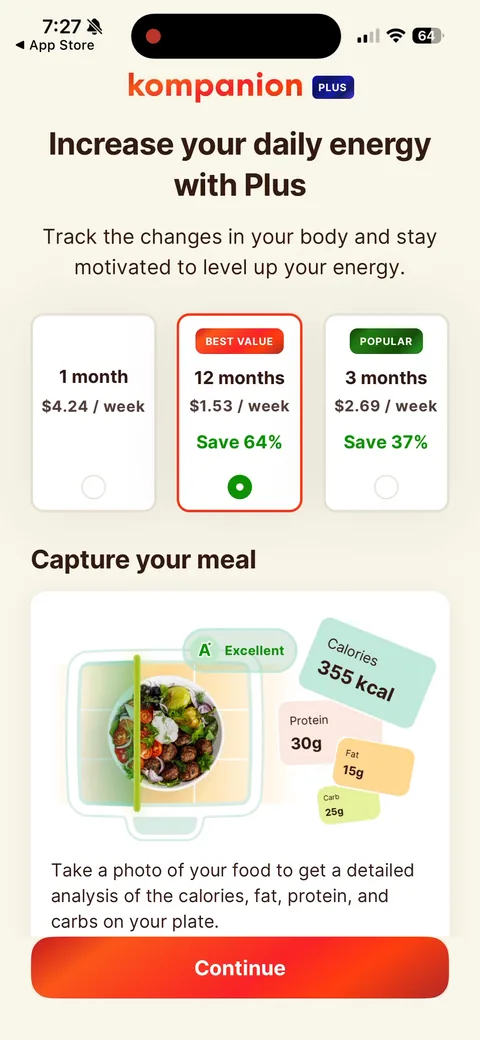
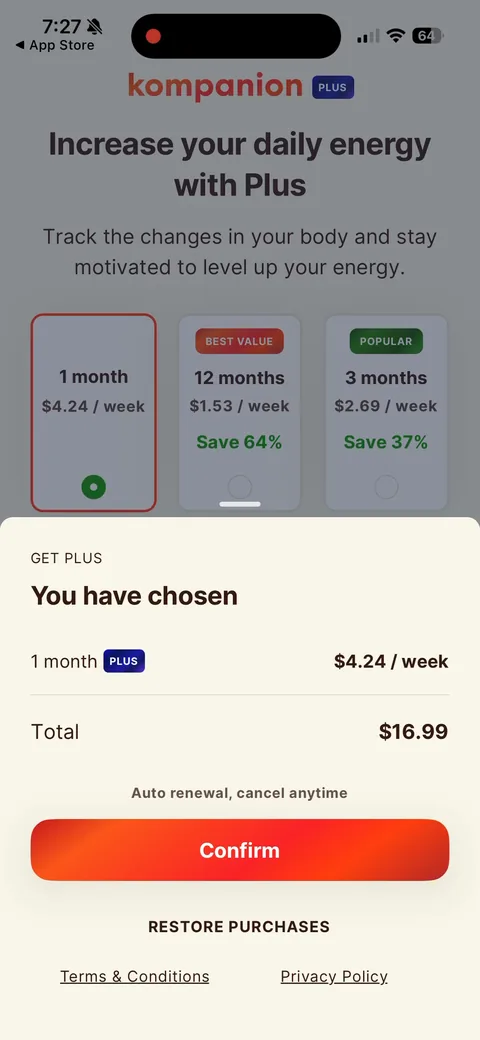
Kompanion onboarding screen 98: A different paywall layout reached from inside the app: cleaner cards with radio buttons, per-week price, and…98
A different paywall layout reached from inside the app: cleaner cards with radio buttons, per-week price, and 'Save 64%' / 'Save 37%'. No feature table up top. Looks like a separate placement or a live test against the onboarding paywall.
Kompanion onboarding screen 99: Their own confirm sheet before Apple's: 'You have chosen 1 month, $4.24 / week, Total $16.99.' An extra tap…99
Their own confirm sheet before Apple's: 'You have chosen 1 month, $4.24 / week, Total $16.99.' An extra tap between intent and purchase. I'd want data on what this step costs.