← All flows
Learning / Knowledge

Simply Piano

144 screens · Screen Recording · recorded Dec 2024
Learning / KnowledgeFreemiumpaywall: none during onboardingquiz drivengoal settingsocial proof heavytutorial demo
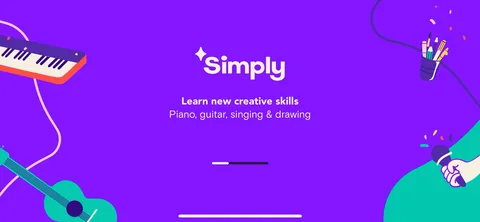
Simply Piano onboarding screen 2: 'Simply2
'Simply. Learn new creative skills: piano, guitar, singing, drawing.' The brand leads, not the app you installed. Four products sharing one account is a portfolio play, and they start selling it before you've opened the one you came for.
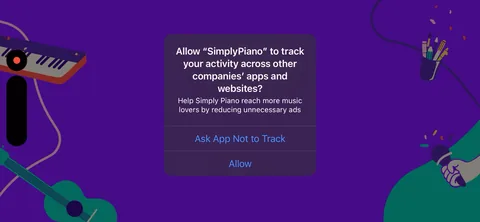
Simply Piano onboarding screen 3: ATT prompt, with 'help Simply Piano reach more people' as the justification3
ATT prompt, with 'help Simply Piano reach more people' as the justification. Asking the user to opt in as a favour to the company is a choice. It's at least honest about who benefits.
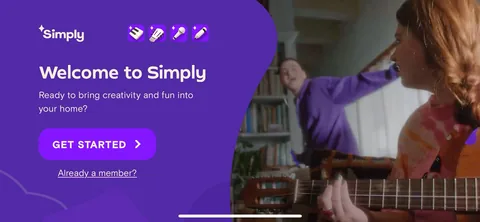
Simply Piano onboarding screen 6: 'Ready to bring creativity and fun into your home?' over lifestyle video of a family6
'Ready to bring creativity and fun into your home?' over lifestyle video of a family. Not 'learn piano'. The pitch is aimed at a household, which is also the unit that pays.
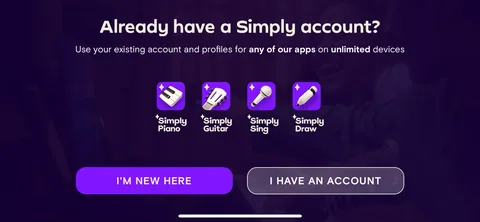
Simply Piano onboarding screen 9: 'Use your existing account and profiles for any of our apps on unlimited devices.' One account across piano…9
'Use your existing account and profiles for any of our apps on unlimited devices.' One account across piano, guitar, singing and drawing. That's the whole reason the portfolio exists: acquisition cost is paid once and the account carries across four products.
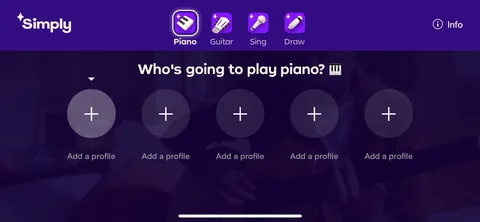
Simply Piano onboarding screen 14: 'Who's going to play piano?' with five profile slots14
'Who's going to play piano?' with five profile slots. Netflix-style profiles in a learning app. It sets the expectation that this is a household purchase, and multiple profiles is the number one reason a family keeps paying.
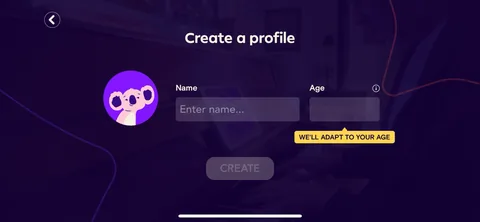
Simply Piano onboarding screen 18: Name and age, with 'We'll adapt to your age' under the field18
Name and age, with 'We'll adapt to your age' under the field. Explaining what the data buys is what turns an age field from nosy into useful.
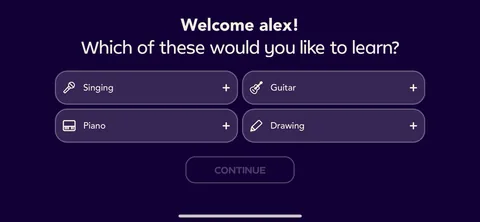
Simply Piano onboarding screen 20: 'Welcome alex20
'Welcome alex! Which of these would you like to learn?' Singing, guitar, piano, drawing, on the profile you just made inside the piano app. They're cross-selling the portfolio before the first lesson.
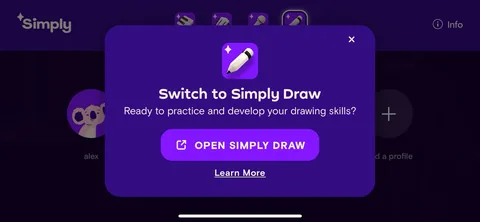
Simply Piano onboarding screen 26: 'Switch to Simply Draw26
'Switch to Simply Draw. Ready to practice and develop your drawing skills?' A full cross-sell interstitial mid-onboarding. Aggressive, and it makes sense if the subscription covers all four. If it doesn't, this is a distraction at the worst possible moment.
Simply Piano onboarding screen 2828
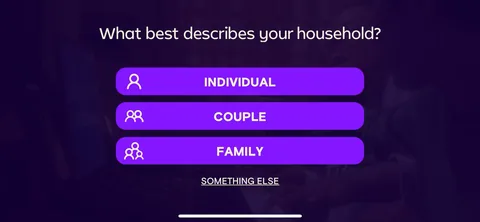
Simply Piano onboarding screen 30: 'What best describes your household?' Individual, Couple, Family, Something else30
'What best describes your household?' Individual, Couple, Family, Something else. Segmenting by household rather than by skill level. A family answer is worth far more than an individual one and it changes everything downstream.
100% free
20 more screens

See the rest of this flow.

You are 10 screens into Simply Piano. Enter your email to unlock the remaining 20, plus every other teardown in the library.
100% free, just your email.
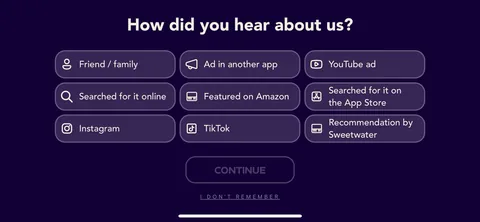
Simply Piano onboarding screen 34: 'How did you hear about us?' with nine options including TikTok, YouTube ad, Featured on Amazon and…34
'How did you hear about us?' with nine options including TikTok, YouTube ad, Featured on Amazon and Recommendation by teacher. Third app in this batch doing self-reported attribution. The teacher option is the interesting one, it's a channel most consumer apps don't have.
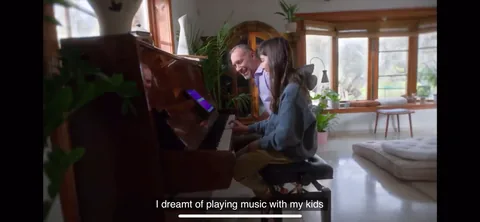
Simply Piano onboarding screen 37: Then roughly twenty screens of video testimonials, interleaved with the quiz37
Then roughly twenty screens of video testimonials, interleaved with the quiz. Real people saying 'I dreamt of playing music with my kids' and 'I never thought my singing could actually get better'. Video testimonials in-flow are expensive to produce and rare to see at this length.
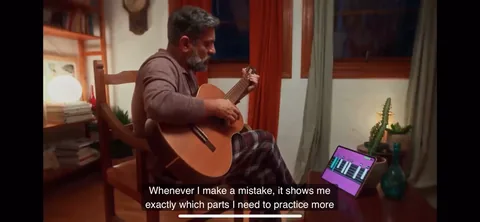
Simply Piano onboarding screen 49: 'Whenever I make a mistake, it shows me exactly which parts I need to practice more.' This one is doing…49
'Whenever I make a mistake, it shows me exactly which parts I need to practice more.' This one is doing product explanation disguised as a testimonial. Someone else describing the feature is more credible than you describing it, which is why this is the best placed one in the sequence.
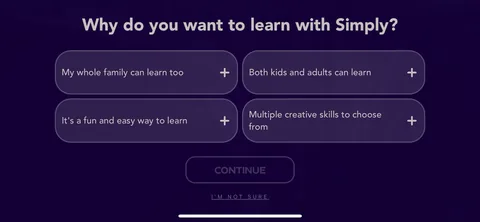
Simply Piano onboarding screen 62: 'Why do you want to learn with Simply?' with family-shaped answers: my whole family can learn too, both kids…62
'Why do you want to learn with Simply?' with family-shaped answers: my whole family can learn too, both kids and adults can learn. The quiz keeps steering back to the household.
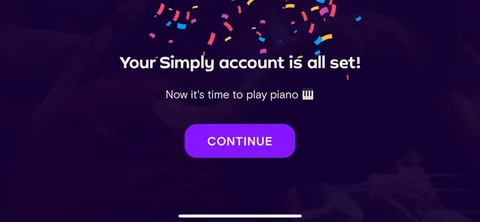
Simply Piano onboarding screen 68: 'Your Simply account is all set68
'Your Simply account is all set! Now it's time to play piano.' A clear break between setup and product, after a long run of questions and testimonials.
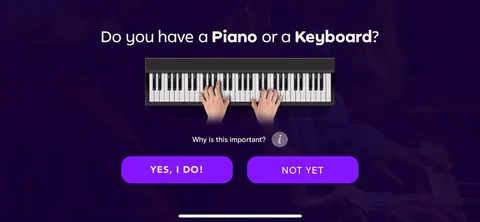
Simply Piano onboarding screen 69: 'Do you have a piano or a keyboard?' with a 'Why this is important' link69
'Do you have a piano or a keyboard?' with a 'Why this is important' link. Hardware qualification, and unavoidable for this product. Asking early means they can route the no-instrument answer somewhere useful instead of failing silently at the first lesson.
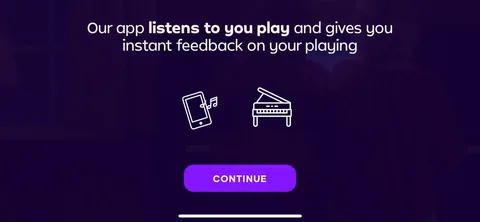
Simply Piano onboarding screen 73: 'Our app listens to you play and gives you instant feedback on your playing.' Priming the microphone…73
'Our app listens to you play and gives you instant feedback on your playing.' Priming the microphone permission by explaining the mechanic first. Compare to Photomath in this batch, which fires the raw camera dialog cold.
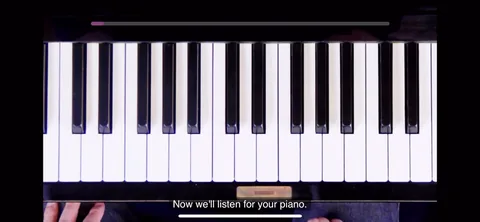
Simply Piano onboarding screen 75: 'Now we'll listen for your piano75
'Now we'll listen for your piano. Choose one key in the center and play it 5 times in a row.' Calibration as the first interaction. The aha moment is the app hearing your actual piano, so they make that the thing that happens first rather than a lesson.
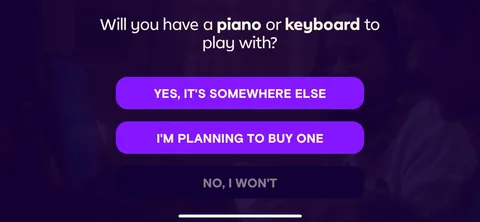
Simply Piano onboarding screen 85: 'Will you have a piano or keyboard to play with?' with four answers including 'I'm planning to buy one' and…85
'Will you have a piano or keyboard to play with?' with four answers including 'I'm planning to buy one' and 'It's somewhere else'. They're mapping the real-world blockers rather than accepting a yes/no, which is how you build a sensible fallback for someone who is interested but unequipped.
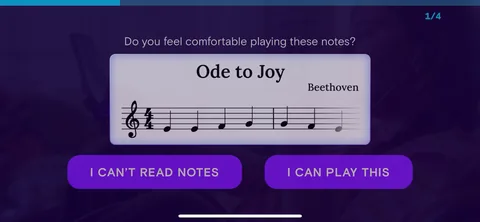
Simply Piano onboarding screen 88: 'Do you feel comfortable playing these notes?' showing actual sheet music from Ode to Joy, with 'I can't read…88
'Do you feel comfortable playing these notes?' showing actual sheet music from Ode to Joy, with 'I can't read notes' as an answer. Self-assessment against a real artefact beats asking someone to rate themselves a beginner or intermediate.
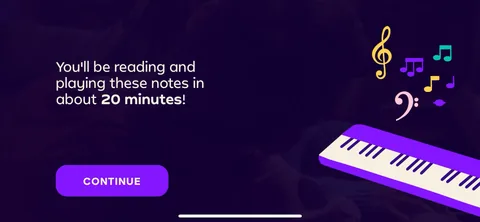
Simply Piano onboarding screen 91: 'You'll be reading and playing these notes in about 20 minutes.' A specific, checkable promise with a number…91
'You'll be reading and playing these notes in about 20 minutes.' A specific, checkable promise with a number on it. Time-to-value stated out loud, and 20 minutes is short enough to believe.
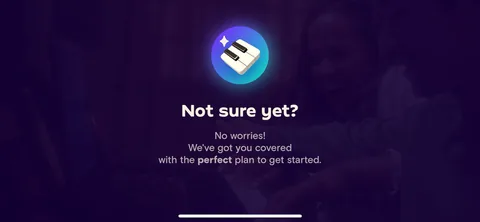
Simply Piano onboarding screen 96: 'Not sure yet96
'Not sure yet? No worries, we've got you covered with the perfect plan to get started.' Catching the undecided answer instead of punishing it. Every quiz needs a branch for the people who don't know.
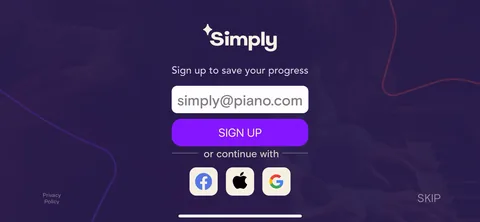
Simply Piano onboarding screen 102: 'Sign up to save your progress', with a Skip102
'Sign up to save your progress', with a Skip. After the entire quiz, the calibration and the goals, so the account is protecting work you've already done.
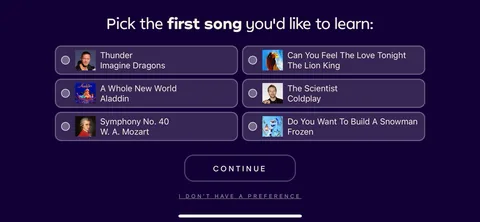
Simply Piano onboarding screen 123: 'Pick the first song you'd like to learn': Thunder, A Whole New World, The Scientist, The Lion King123
'Pick the first song you'd like to learn': Thunder, A Whole New World, The Scientist, The Lion King. Song choice as the hook. Nobody learns piano to learn piano, they learn it to play a specific song, and asking which one is both personalization and motivation.
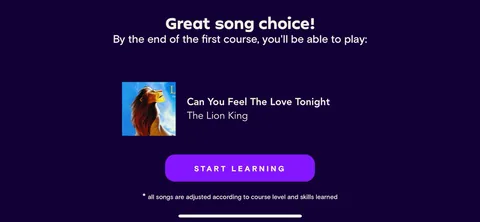
Simply Piano onboarding screen 125: 'Great song choice125
'Great song choice! By the end of the first course you'll be able to play Can You Feel the Love Tonight.' They take your song and turn it into the finish line of the course. That's personalization continuity done properly, and it's the payoff for the question two screens back.
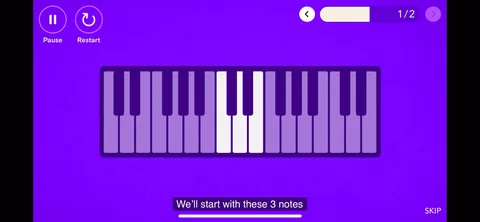
Simply Piano onboarding screen 135: 'We'll start with these 3 notes.' Scoping the first lesson down to something obviously achievable135
'We'll start with these 3 notes.' Scoping the first lesson down to something obviously achievable. Three notes is not intimidating and it's still a real win.
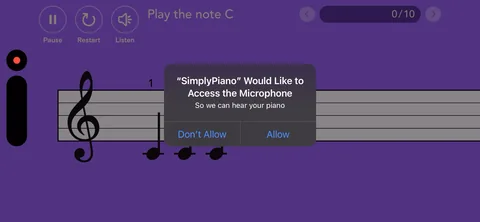
Simply Piano onboarding screen 141: The microphone dialog, finally, after the explanation and the calibration screen141
The microphone dialog, finally, after the explanation and the calibration screen. Correct order, and it's why this ask deserves to be granted.
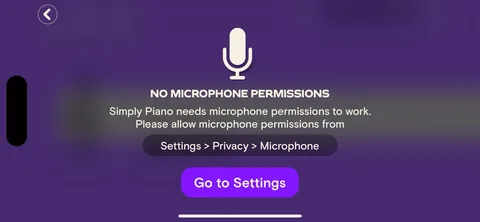
Simply Piano onboarding screen 142: 'No microphone permissions142
'No microphone permissions. Simply Piano needs microphone permissions to work.' Deny it and the app stops dead, same as Photomath's camera denial in this batch. All that careful priming and there's still no fallback path, no silent practice mode, nothing.
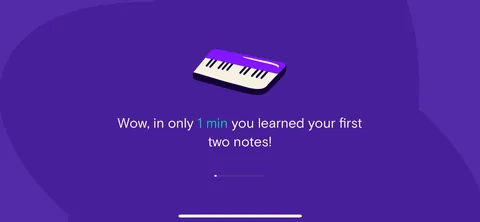
Simply Piano onboarding screen 143: 'Wow143
'Wow! In only 1 min you learned your first two notes.' Time-boxed win with the number called out. The promise on screen 91 was twenty minutes, and here's a smaller proof delivered inside one.
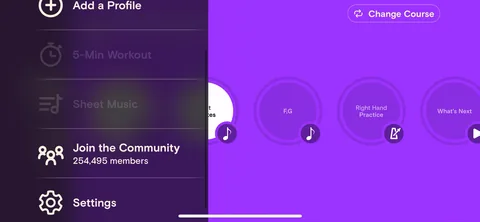
Simply Piano onboarding screen 144: 'Join the community, 254,495 members.' Social proof at the end rather than the start, once you've actually…144
'Join the community, 254,495 members.' Social proof at the end rather than the start, once you've actually played something. A number like that means more to someone who just succeeded than to someone still deciding.